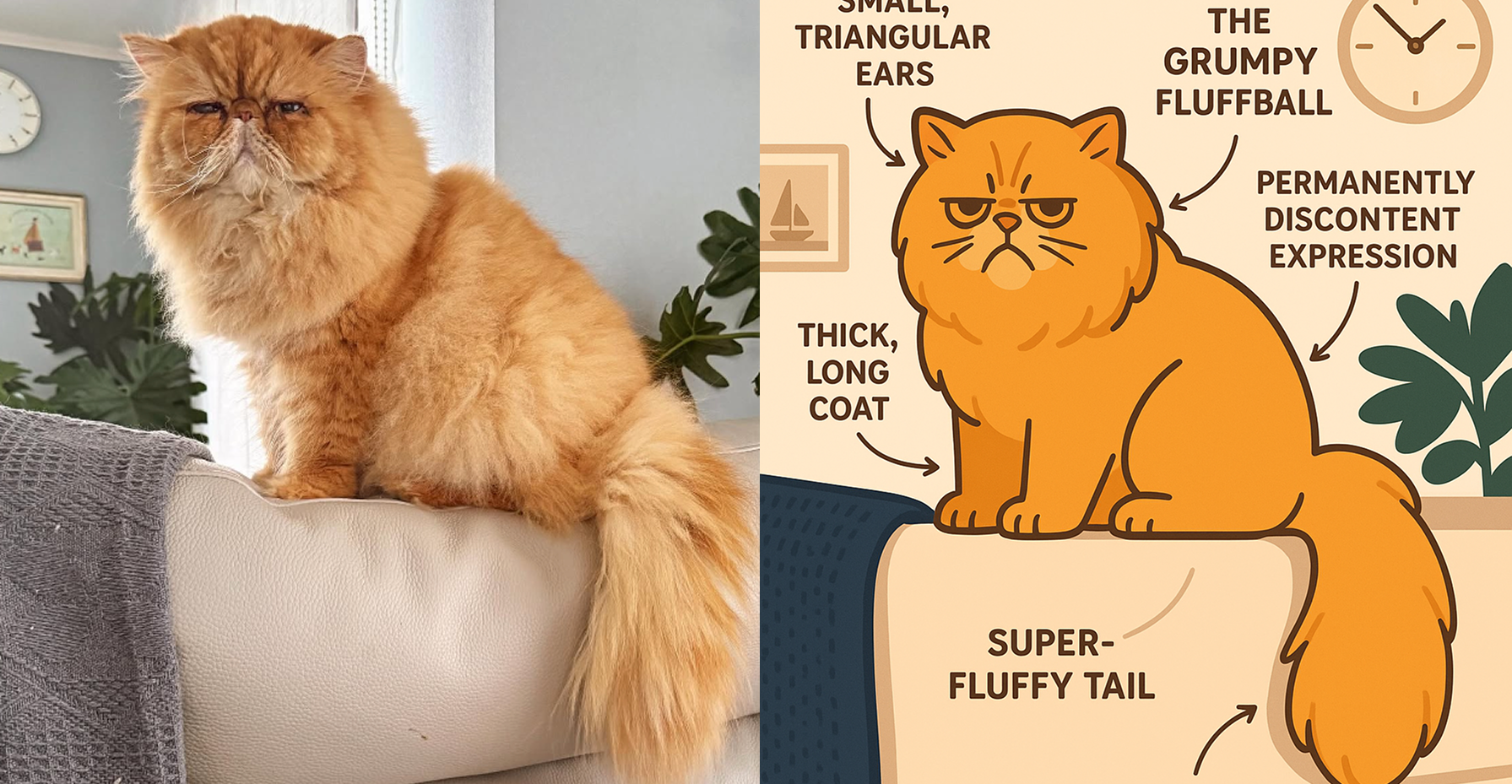
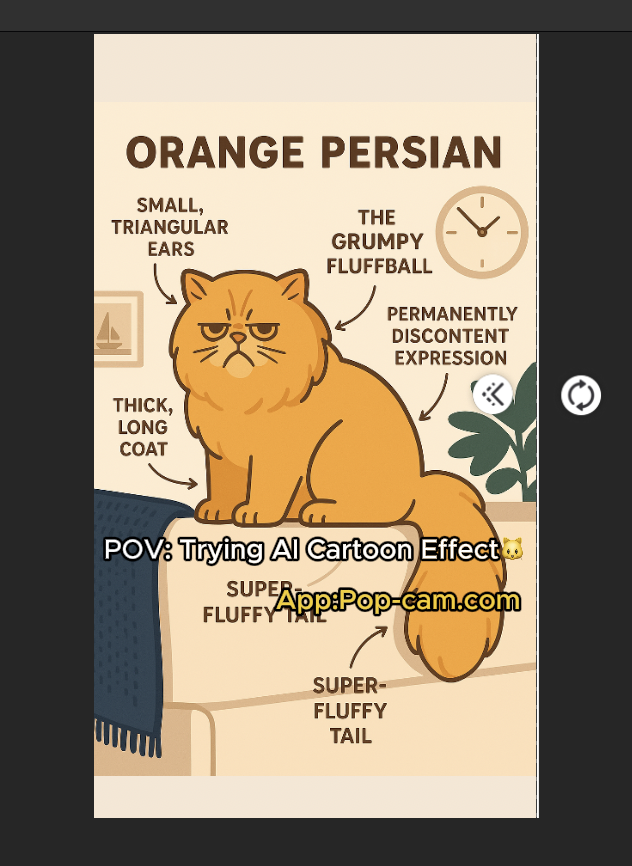
Yes-those oddly satisfying before and after videos on TikTok or Instagram that stop you mid-scroll. Like this one.
Want to make your own? Just use these tools: Pop-Cam, CapCut, and a few smart caption tools.
Here’s your ultimate guide to making the before and after video—one swipe at a time.
Step 1: Create Your “After” with Pop-Cam or other AI apps
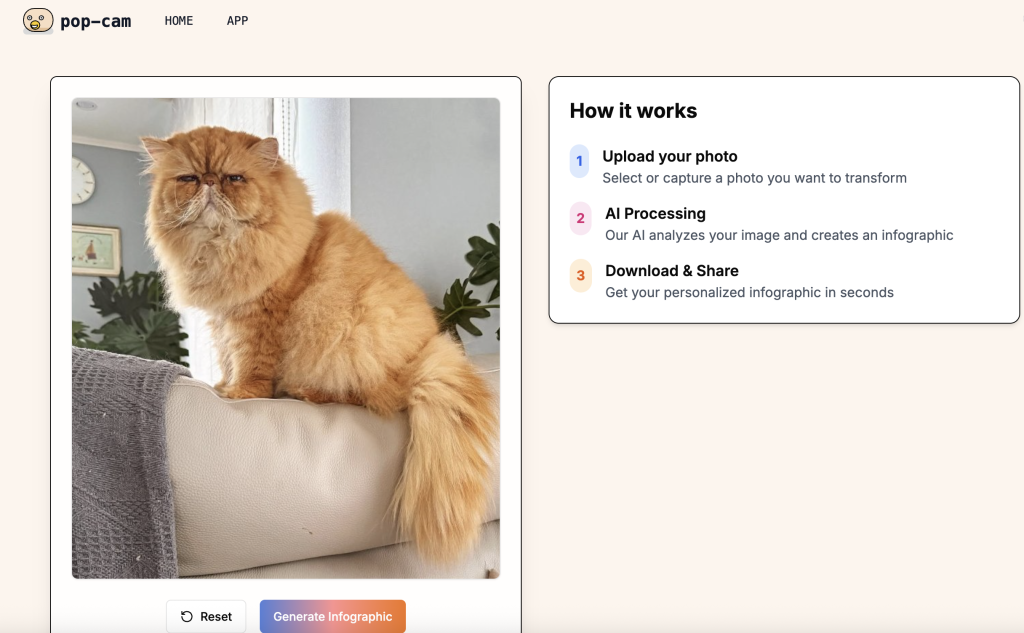
Head to Pop-Cam.com and upload your original photo. Within seconds, Pop-Cam transforms it into a high-quality illustration or cartoon.
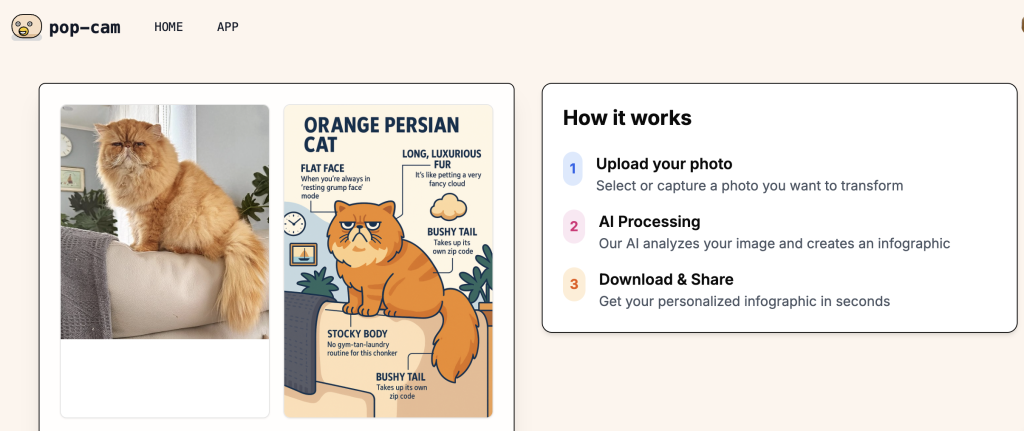
You can choose to keep the default text labels—or remove them for a clean look.
It works on everything: pets, people, food, outfits, plants, travel pics.
Tip: The cleaner the background, the more “punch” the cartoon effect has in the video.
Step 2: Build a Swipe Transition in CapCut
Now that you’ve got your “before” (original image) and your “after” (Pop-Cam cartoon), it’s time to bring the magic together with CapCut:
- Open CapCut and start a new project.
- In import the original photo and the cartoon version.
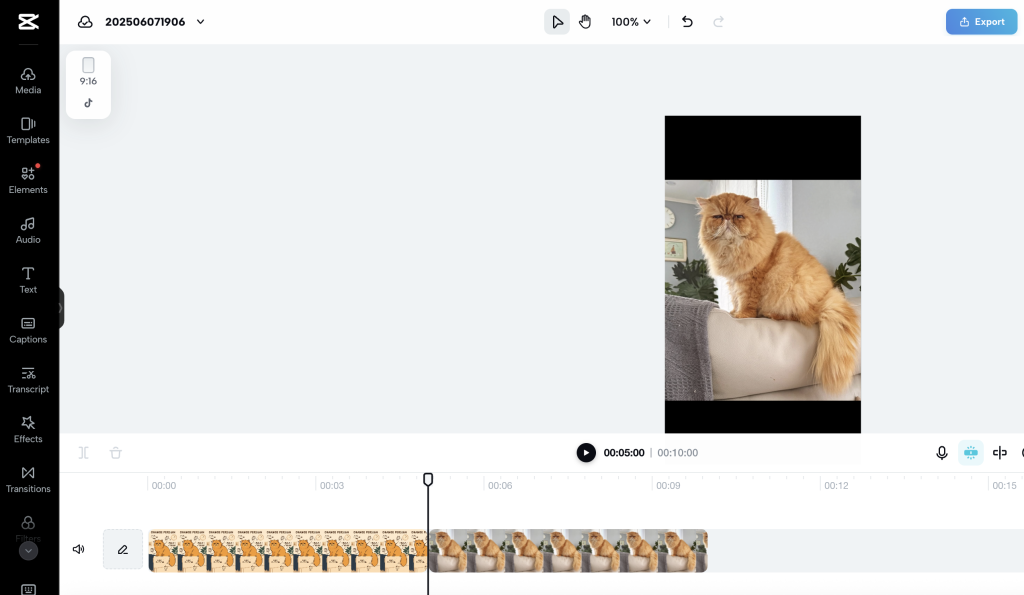
- Tap on the transition between the two clips and choose “wipe Left” or “Comparison: under “Mask”. This would make a wipe transition for up to 1.6 seconds
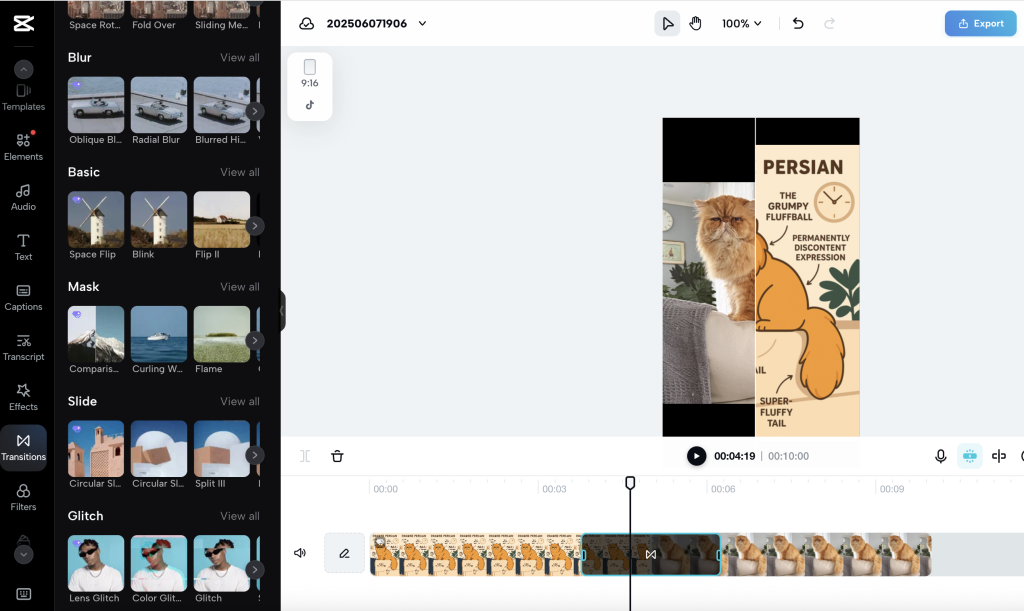
- If you want longer transitions, you would need the capcut desktop app.
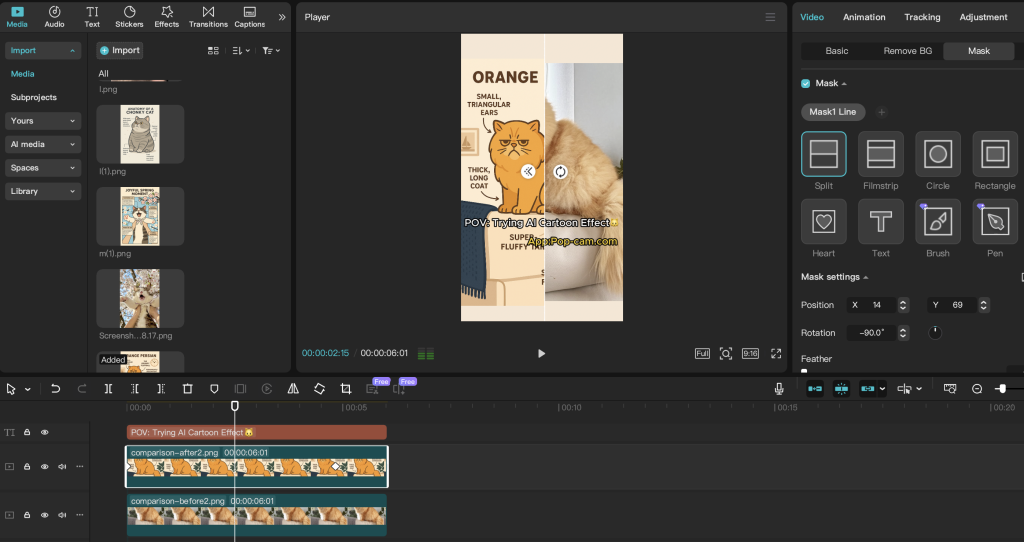
you need to stack images on top of each other and use “mask ” tool to mask. Then keyframe the mask for that transition.
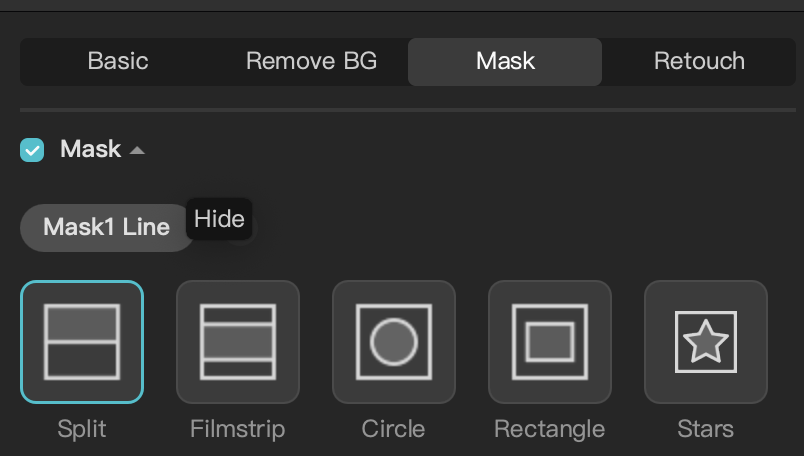
use mask line- split for the transition
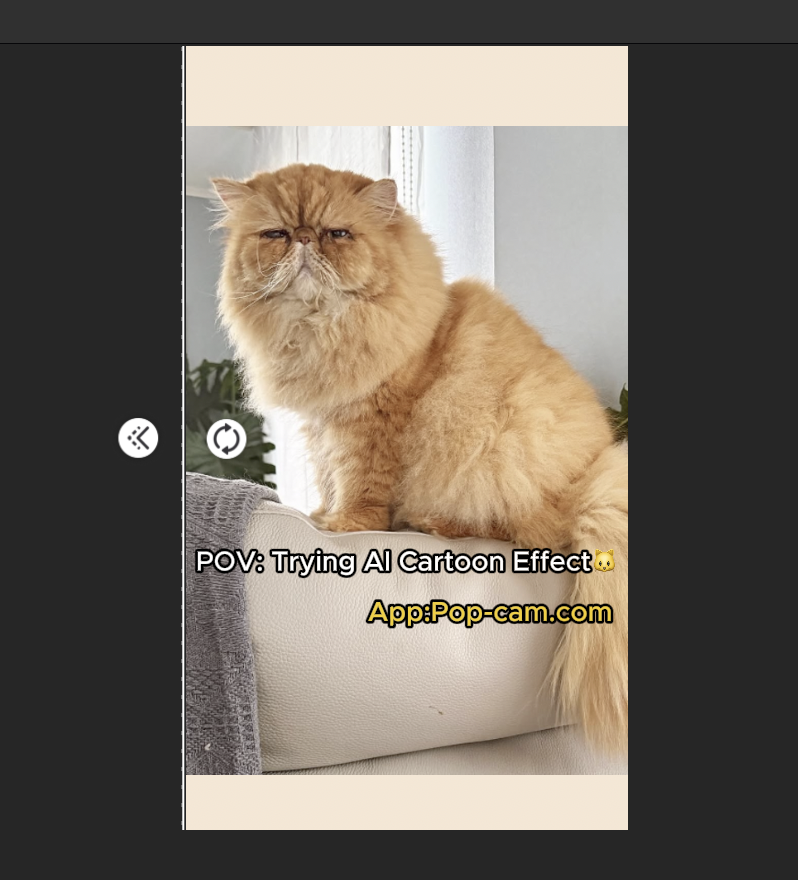


- Keep it short—around 5–7 seconds works best on TikTok.
Step 3: Write a Caption That Grabs Attention
A stunning visual gets them to stop. A great caption gets them to watch again, like, and share.
Here’s what works:
- Hook curiosity
“Did NOT expect this glow-up 😳” - Hint at transformation
“She went from scruffy to stunning… in 3 seconds.” - Include a CTA (call to action)
“Which version do you like more? Comment below!”
Don’t overdo the hashtags. Two or three relevant ones—like #beforeandafter, #AIart, or #CapCut—are enough to help the algorithm do its thing.
Bonus: Use AI Tools to Write Captions
Need a little help getting creative? These AI caption-writing tools can turn your ideas into gold:
- Copy.ai: Fast, funny, and useful for TikTok hooks.
- Jasper: Great for long-form or emotional storytelling.
- Hypotenuse.ai: Ideal for product-style captions and storytelling.
- Canva Magic Write: Good if you’re already designing content in Canva. I do not recommend using this for video
Why This Works
Before and after videos do well because they deliver contrast + satisfaction.
It is very easy to do these videos.
That’s why you can post more, and get more opportunity to go viral.
So go ahead—turn your cat, your coffee, your outfit, or even your old profile pic into a work of illustrated contrast. Pop-Cam does the drawing. CapCut adds the drama. You bring the caption and the vibes.
Leave a Reply