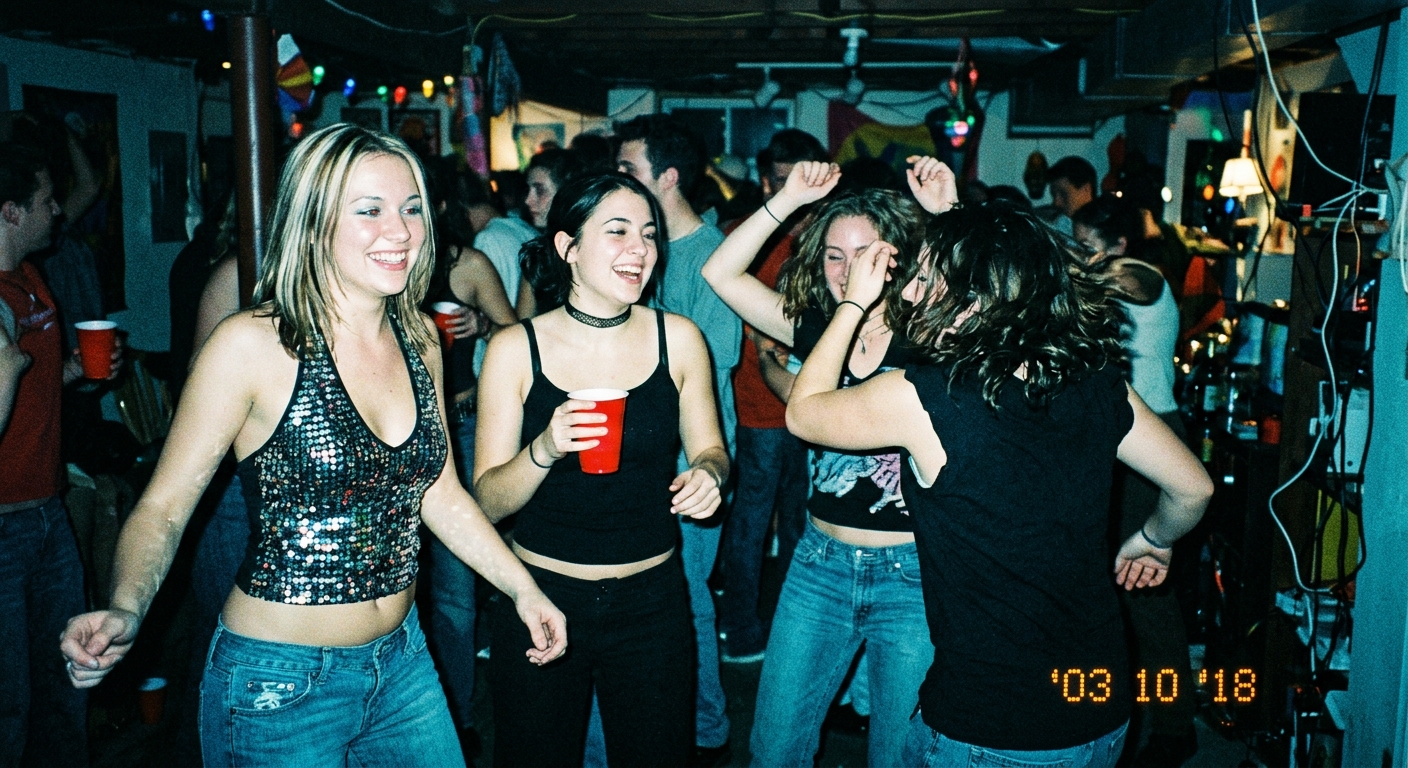
Scrolling through Instagram or TikTok lately, you’ve probably seen it: photos with that unmistakable early-2000s digital camera vibe. Overblown flash, cool-toned color casts, visible grain, and a nostalgic glow that screams 2003.
It’s the Y2K camera aesthetic — and it’s everywhere.
But here’s the catch: getting that look traditionally means buying a vintage digital camera. Canon PowerShot, Sony Cyber-shot, Nikon Coolpix — these relics from 1998-2005 are now selling for $150-$300 on eBay. And even if you drop the cash, you’re stuck with:
- Low resolution (3-5 megapixels max)
- Outdated memory cards
- Fragile hardware that breaks easily
- Zero editing flexibility
- Battery life nightmares
What if you could get the Y2K camera look without buying a camera at all?
Good news: you can. And it takes about 10 seconds.
Why the Y2K Camera Aesthetic Is Back
Before we dive into the how, let’s talk about the why.
Nostalgia for the Pre-Smartphone Era
For Gen Z (born 1997-2012), the early 2000s represent a time before smartphones, before Instagram filters, before every photo was perfectly curated. Y2K camera photos feel real — raw, unpolished, authentic.
Social Media Fatigue
We’re drowning in hyper-polished content. Every iPhone photo has HDR processing, AI smoothing, and computational magic. It’s technically perfect — and emotionally sterile.
Y2K photos have character. The blown-out flash, the weird blue-green tint, the visible grain — these “flaws” make photos feel human again.
TikTok’s #Y2K Revival
The #Y2K and #DigitalCamera hashtags have billions of views on TikTok. Influencers post Y2K-style photos to stand out. Brands use it to feel nostalgic and anti-corporate.
Bottom line: the Y2K camera aesthetic isn’t just a trend — it’s a visual language that says “I’m not trying too hard.”
What Makes a Photo Look “Y2K Camera”?
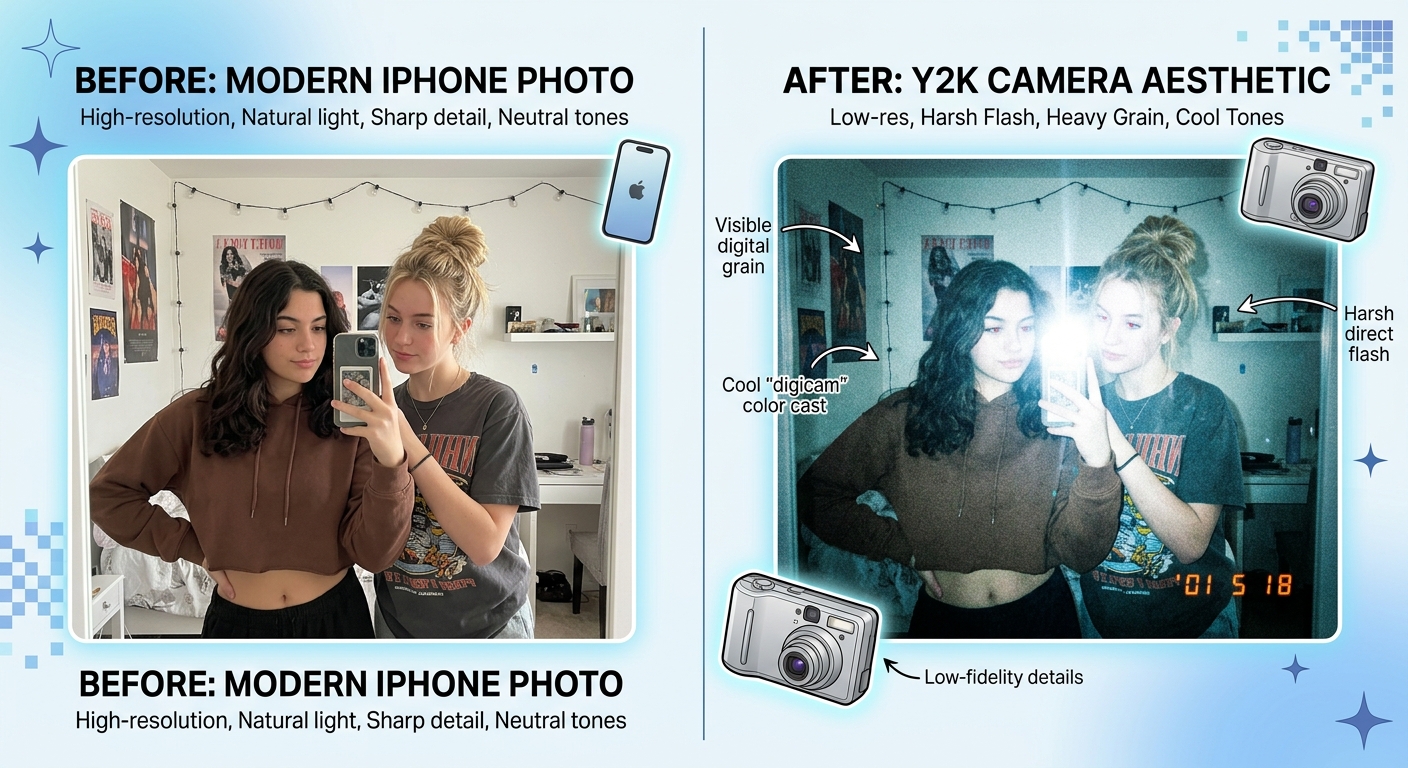
Not every retro filter qualifies as Y2K. The aesthetic has specific visual markers:
1. Overblown Flash
Early digital cameras had weak, on-camera flashes. The result? Faces glow, backgrounds go dark, shadows vanish. It’s harsh and unflattering — and that’s the point.
2. Cool Color Temperature
Auto white balance in 2000s cameras often skewed blue-green, especially under fluorescent lighting. Photos look slightly cold and sterile.
3. High Contrast & Saturation
To compensate for small sensors, manufacturers cranked up contrast and saturation. Colors pop unnaturally — reds are too red, blues are electric.
4. Visible Digital Grain
Low ISO performance meant indoor photos had visible noise. Outdoor shots were cleaner, but grain was always lurking.
5. Low Resolution & Soft Focus
3-5 megapixel sensors meant images were soft by modern standards. Details blurred at the edges. Lens quality was inconsistent.
6. Optional: Date/Time Stamp
Many Y2K cameras printed orange or white timestamps in the corner. It’s a visual shortcut to “this photo is from 2003.”
Method 1: Buy a Vintage Digital Camera (Not Recommended)
Let’s get this out of the way: yes, you can buy a real vintage digital camera.
Popular models:
- Canon PowerShot S100 / S200
- Sony Cyber-shot DSC-W80
- Nikon Coolpix 3200
- Kodak EasyShare
Why people do it: Authentic hardware experience, true optical limitations, collector appeal.
Why you probably shouldn’t:
- Expensive ($150-$300 on eBay, sometimes more)
- Fragile (broken screens, dead batteries, lens jams)
- Obsolete tech (proprietary cables, ancient memory cards)
- Low resolution (3-5MP means your photos are tiny)
- No flexibility (can’t edit, adjust, or export at higher quality)
Verdict: Only worth it if you’re a purist or collector. For everyone else, there’s a better way.
Method 2: Use Y2K Camera Apps (Hit or Miss)
The app store is full of Y2K camera simulators: Huji Cam (free, ads), Dazz Cam ($4.99), 1998 Cam (free, limited), Gudak (free trial, then subscription).
Pros: Easy to use, timestamp overlays, cheap or free.
Cons:
- Generic filters (everyone’s photos look identical)
- Low output resolution (often compressed)
- Watermarks on free versions
- Ads and subscriptions
- Limited control (can’t fine-tune flash, grain, or color tone)
Verdict: Fine for casual Instagram posts, but they lack authenticity. Every Huji Cam photo looks like… a Huji Cam photo.
Method 3: AI-Powered Y2K Effect (Best Option)
Here’s the secret the pros know: you don’t need vintage hardware. You just need vintage aesthetics.
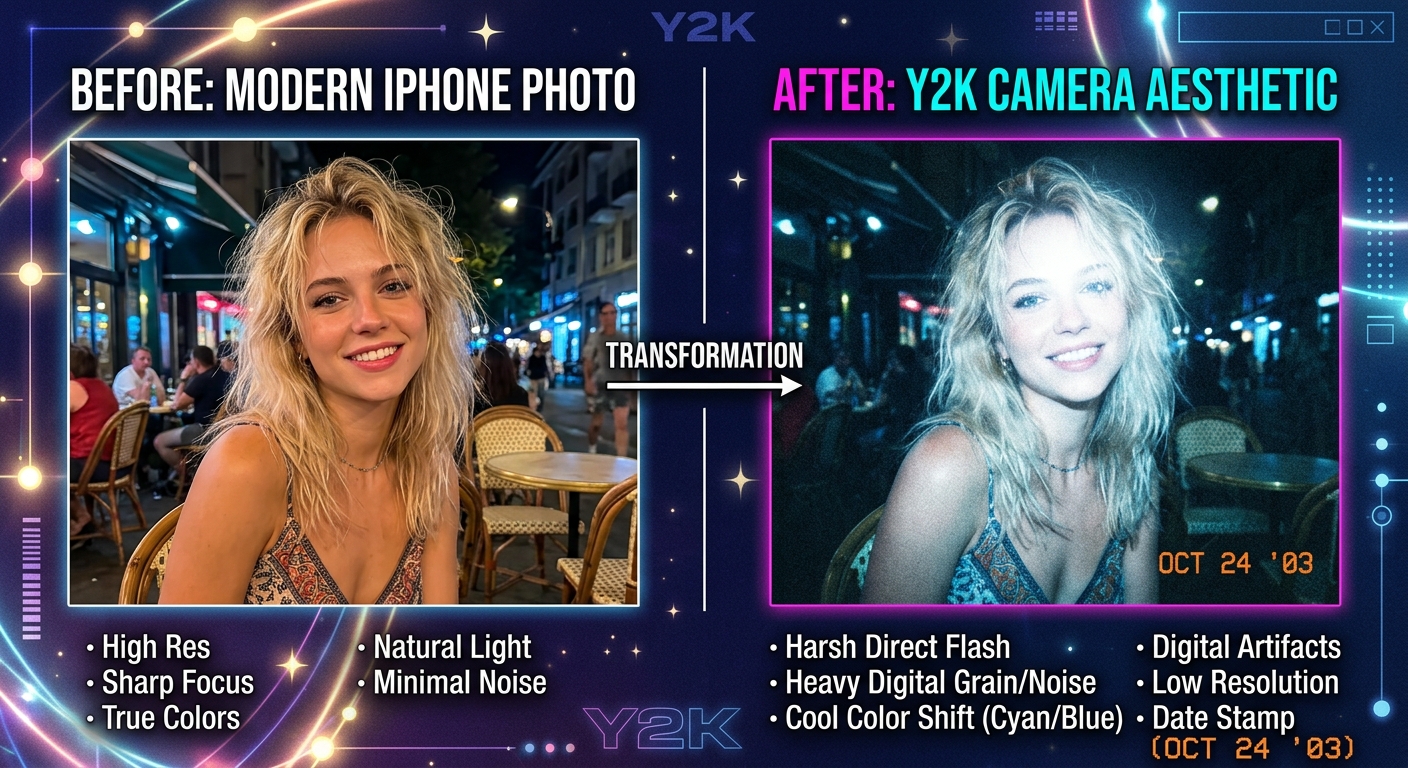
AI-powered tools analyze the color science, grain patterns, and lighting quirks of real Y2K cameras — then recreate them digitally. The result is indistinguishable from hardware, but with modern resolution and full editing control.
How It Works
- Upload any photo (iPhone shot, DSLR, whatever)
- Choose a Y2K preset (flash intensity, color tone, grain level)
- Fine-tune settings (optional: adjust contrast, saturation, timestamp)
- Download in high resolution (no quality loss, no compression)
Why This Is the Best Method
- ✅ Instant results — no hunting on eBay, no broken cameras
- ✅ High-resolution output — keep your original image quality
- ✅ Customizable — adjust flash, grain, and color to taste
- ✅ No watermarks — your photos, your brand
- ✅ Works on any photo — past, present, or future shots
Recommended tool: PopCam’s Y2K camera tool
Step-by-Step: Get the Y2K Camera Look in 10 Seconds
Let’s walk through it.
Step 1: Choose Your Photo
Any image works. Party photos, selfies, group shots, landscapes — Y2K aesthetics apply to everything.
Pro tip: Photos with people (especially group shots or candid moments) capture the Y2K vibe best. That’s what those cameras were made for.
Step 2: Upload to PopCam’s Y2K Generator
Head to PopCam’s Y2K camera tool. Drag and drop your image.
Step 3: Pick a Preset
PopCam offers authentic Y2K presets based on real camera models:
- Flashy Lavender Stars — cool-toned, high flash, party vibe
- Polka Dot Shoe Phone — warm flash, nostalgic, early-2000s texture
- Cat Print Digital Camera — soft grain, subtle date stamp
- Ocean Denim Corset — blue-green cast, classic Y2K color science
Each preset is tuned to recreate a specific era and camera type.
Step 4: Fine-Tune (Optional)
Want more control? Adjust:
- Flash intensity (subtle glow → full nuclear blast)
- Grain level (smooth → heavy noise)
- Color temperature (cool blue → warm yellow)
- Contrast & saturation
- Date/time stamp (on/off, customize font and color)
Step 5: Download & Share
Export in full resolution. Use for Instagram, TikTok, prints, or personal archives.
No compression. No watermarks. Just pure Y2K nostalgia.
Real-World Use Cases
Social Media Content
Stand out on Instagram and TikTok. While everyone else is posting pristine iPhone portraits, you’re serving authentic 2003 energy. Perfect for party photos, concert shots, friend group hangouts, and throwback posts.
Music & Art Projects
Musicians and artists use Y2K aesthetics for album covers, music videos, and promotional content. It signals authenticity, nostalgia, and anti-corporate vibes.
Branding & Marketing
Brands targeting Gen Z use Y2K visuals to feel nostalgic and real. It’s the opposite of corporate polish.
Personal Archives
Turn everyday iPhone photos into keepsakes that feel like they were shot in 2003. Future you will thank you.
Y2K Camera Look: Quick Comparison
| Method | Cost | Quality | Flexibility | Authenticity | Verdict |
|---|---|---|---|---|---|
| Vintage Camera | $150-$300 | Low (3-5MP) | None | 100% | Only for purists |
| Mobile Apps | Free-$5 | Medium | Low | 70% | Generic filters |
| AI Tool (PopCam) | Free | High | Full control | 95%+ | Best option |
FAQs
Is the AI version as good as real hardware?
For 99% of use cases, yes. PopCam’s AI analyzes real Y2K camera output — color science, grain structure, flash behavior — and recreates it digitally. Unless you’re a camera purist, you won’t tell the difference.
Can I add a date stamp like old cameras?
Yes! PopCam’s Y2K tool includes customizable date/time stamps in classic orange or white.
Will my photos look fake or over-processed?
Not if you use a quality tool. Bad filters look fake because they slap a generic overlay on everything. PopCam’s AI adapts to your photo’s lighting and composition.
What resolution will my photos be?
Full resolution — whatever you upload. Real Y2K cameras maxed out at 3-5MP. PopCam gives you the aesthetic without the pixel loss.
Final Thoughts
You don’t need a $200 vintage camera from eBay to get the Y2K camera look.
You don’t need to settle for generic app filters.
You just need the right tool — one that captures the authentic color science, grain, and lighting of early-2000s digital cameras without the hardware baggage.
No vintage gear. No expensive apps. Just instant nostalgia.
Leave a Reply