Author: Derek Sandler

  • Dog Drawing: How to Turn Your Pet into an Adorable AI Masterpiece

    Dog Drawing: How to Turn Your Pet into an Adorable AI Masterpiece

    Dog drawing is the perfect way to capture your pup’s personality—from their side-eye glances to chaotic zoomies. Dogs aren’t just man’s best friend—they’re also unexpectedly perfect muses for whimsical, hilarious, and heartwarming illustrations.
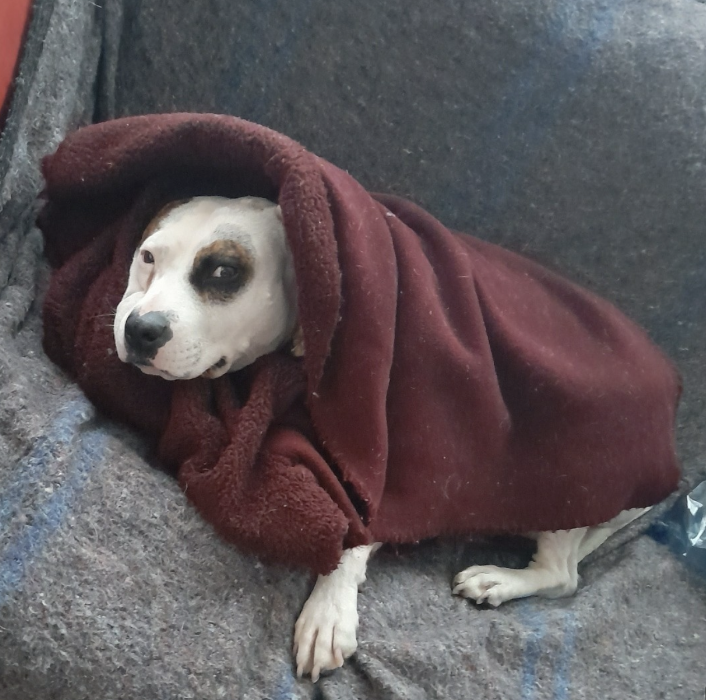
    If you’ve ever wanted to turn your pup’s zoomies or side-eye glances into a piece of art, dog drawing is your answer—and now, AI can help you do it in seconds.
    A Quick Look Back: The Ancient Art of Dog Drawing

    Dog drawings go back millennia. In ancient times:

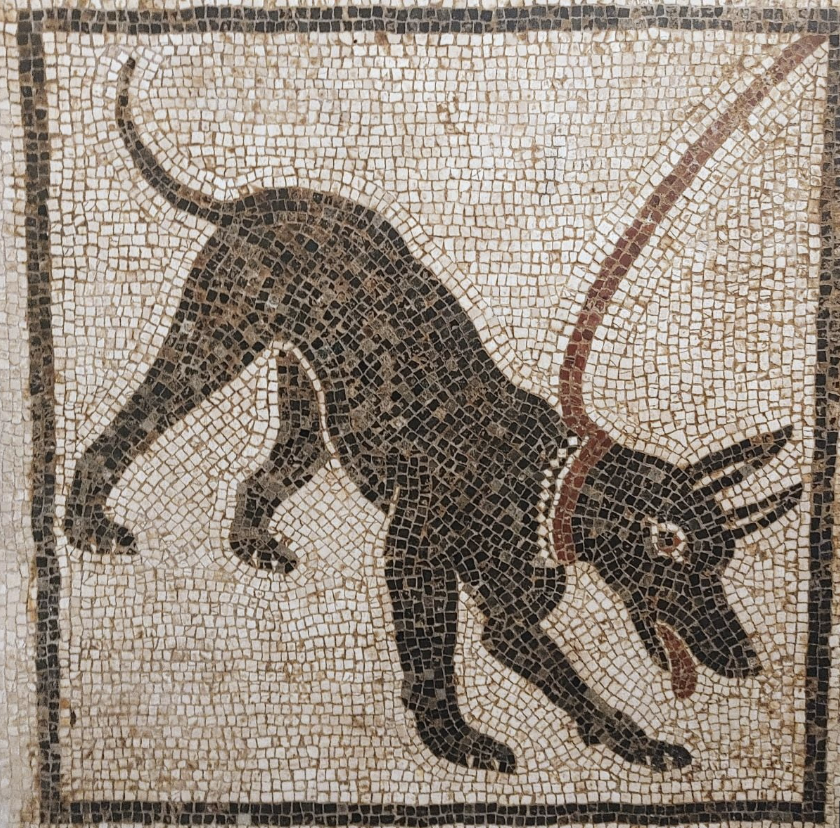
    • Ancient Rome: Dogs were etched into mosaics and sculptures, especially as hunting companions. Artists focused on strength and loyalty, portraying dogs with muscular bodies and attentive gazes.
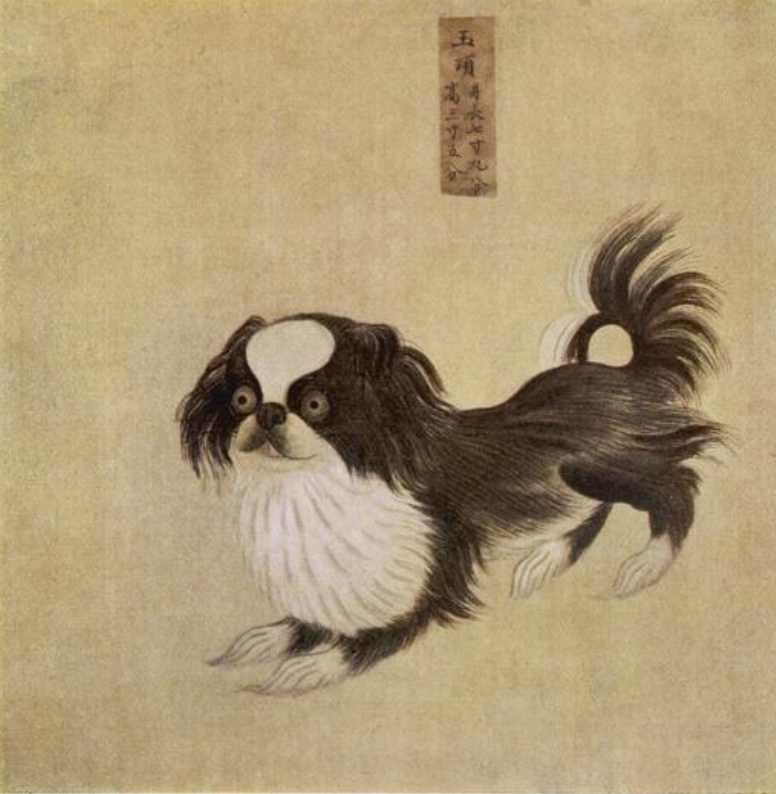
    • Chinese Ink Art: Tang dynasty artists rendered dogs with swift brush strokes to capture their spirit and movement—often symbolizing protection and joy.
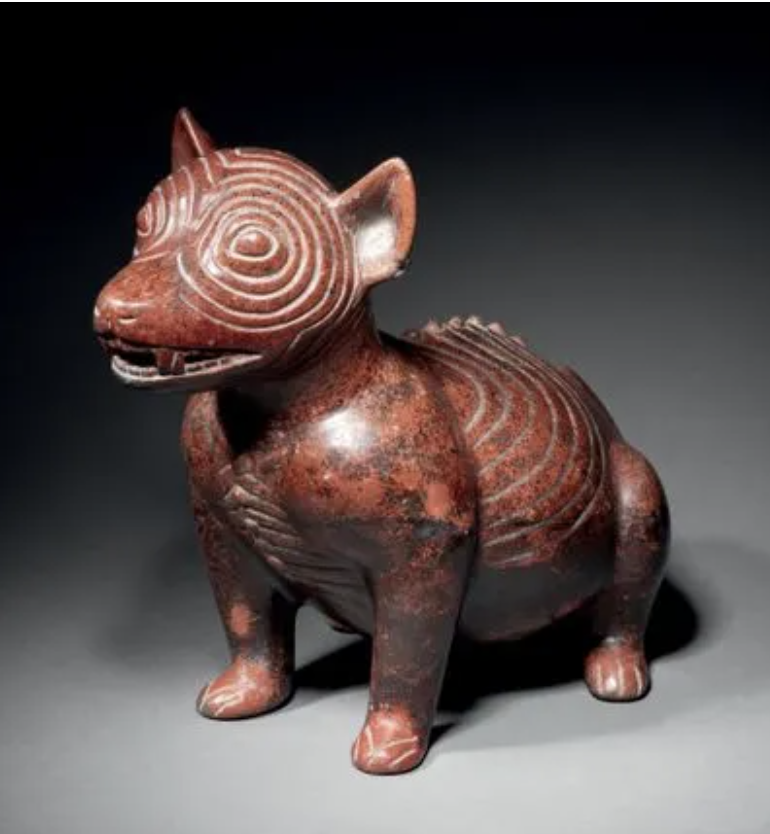
    • Mesoamerican Ceramics: Pre-Columbian cultures like the Colima created dog-shaped clay figures, believed to guide spirits in the afterlife.
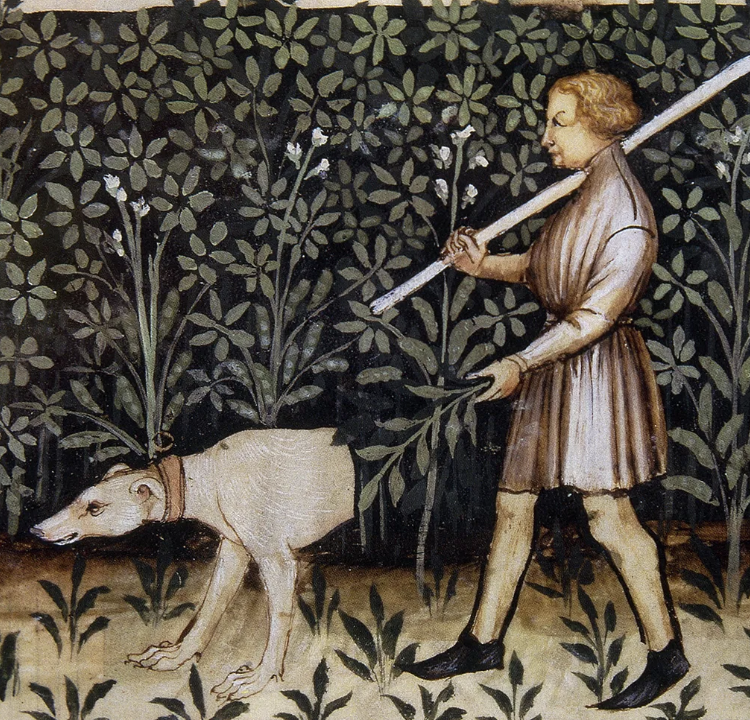
    • Medieval Europe: Dogs appeared in illuminated manuscripts, often as loyal companions to saints or nobles.
    These depictions reflected more than companionship—they showed dogs as spiritual guides, household guardians, and storytellers.

    Dog Drawing Today: From Sketchpad to Screen

    Fast forward to today, and dog drawing has become digital. You don’t need to know how to sketch—just upload a photo. That’s where Pop-Cam comes in.
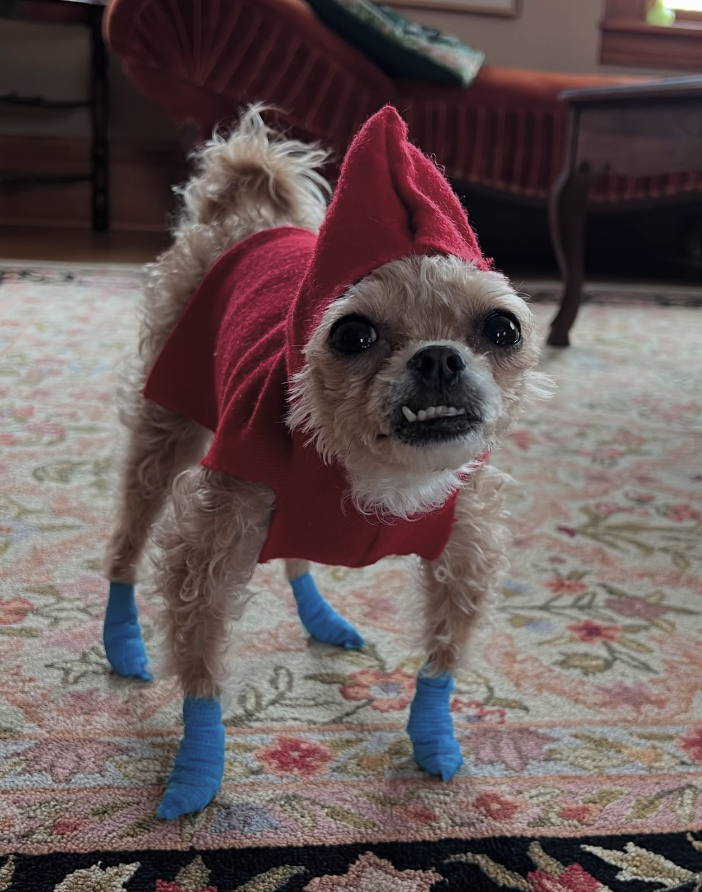
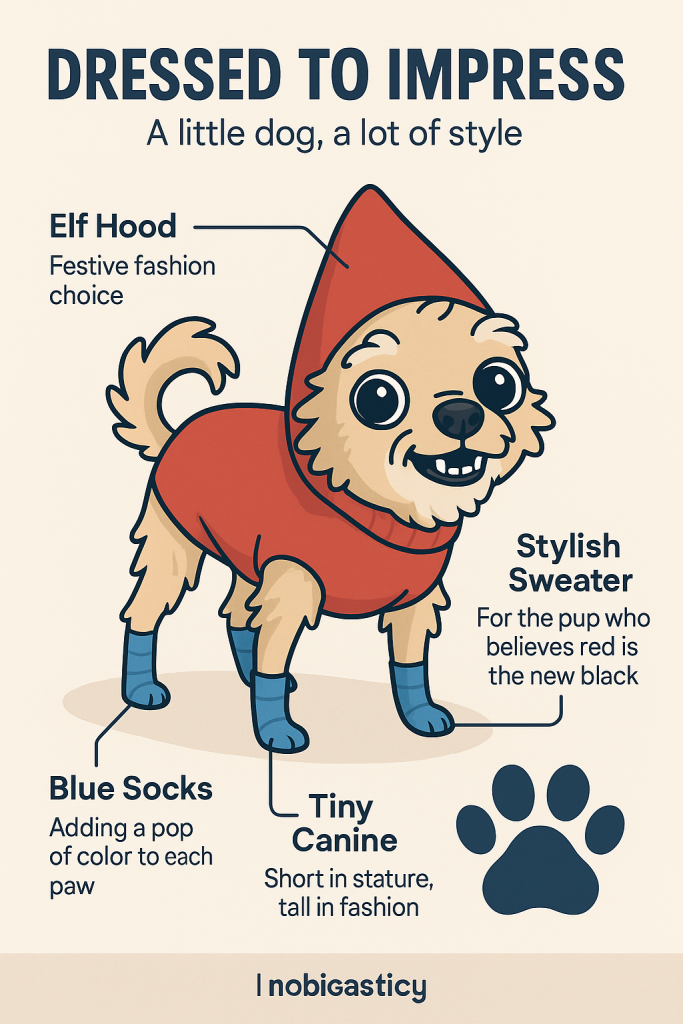
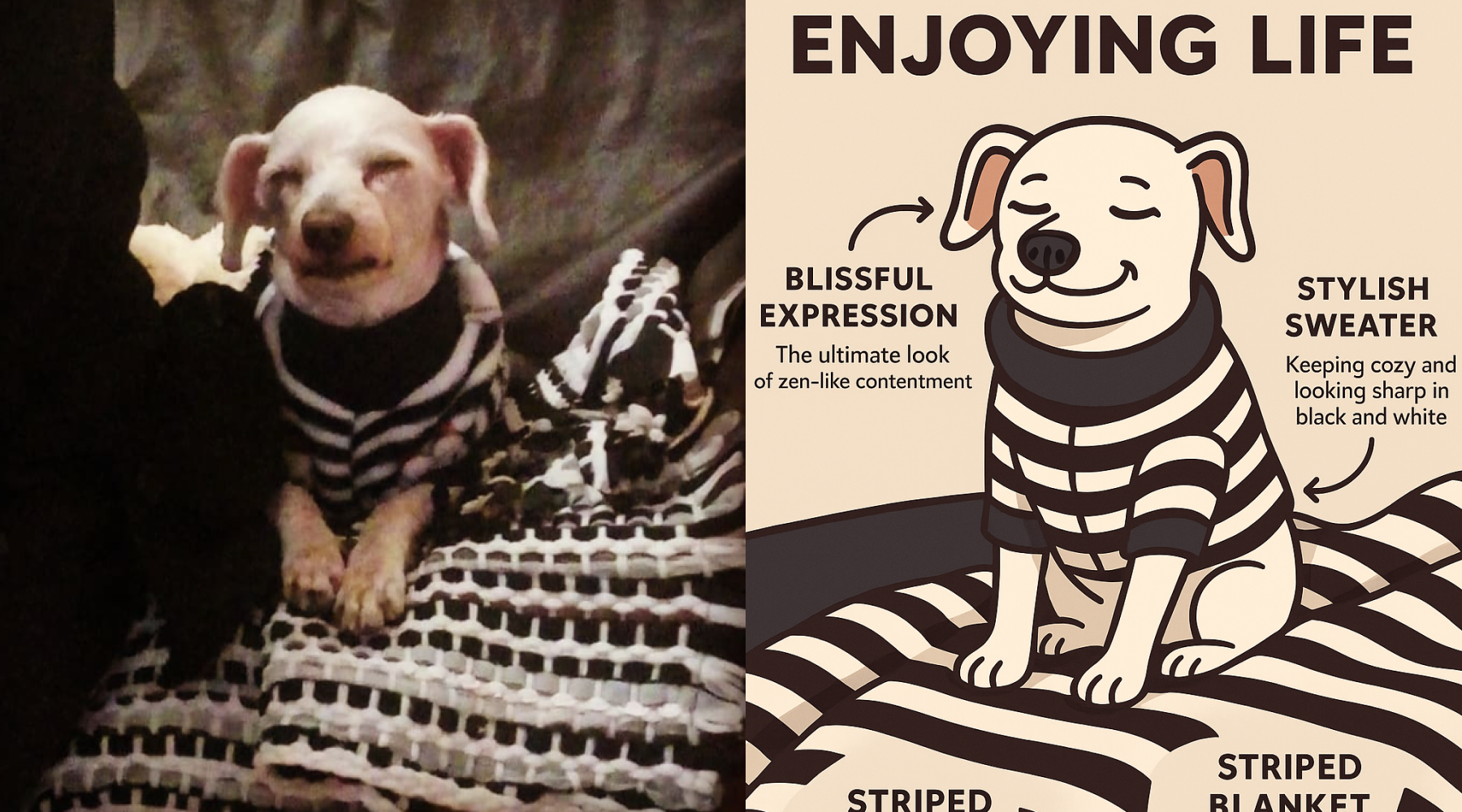
    he is a grumpy one
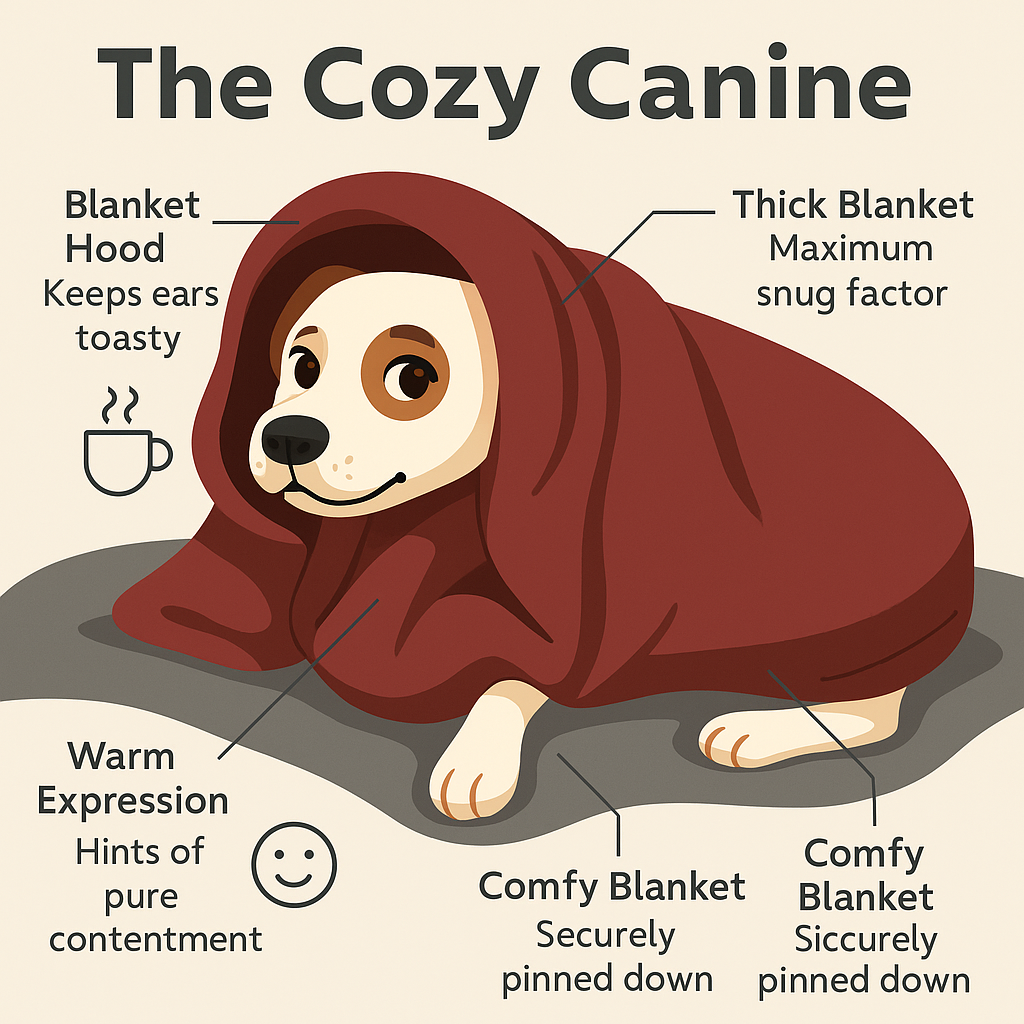
    nice drawing with annotations

    Here’s How It Works:

    1. Snap or Upload a Photo: Find a picture of your dog that makes you smile. Silly, sleepy, tongue-out—anything works.
    2. Let AI Work Its Magic: Pop-Cam’s tool transforms your image into a cartoon-style illustration, complete with a witty caption and playful tone.
    3. Get a Shareable Output: You’ll receive a dog drawing that looks like it belongs in a graphic novel—but with your dog as the star.

    Why It’s So Fun

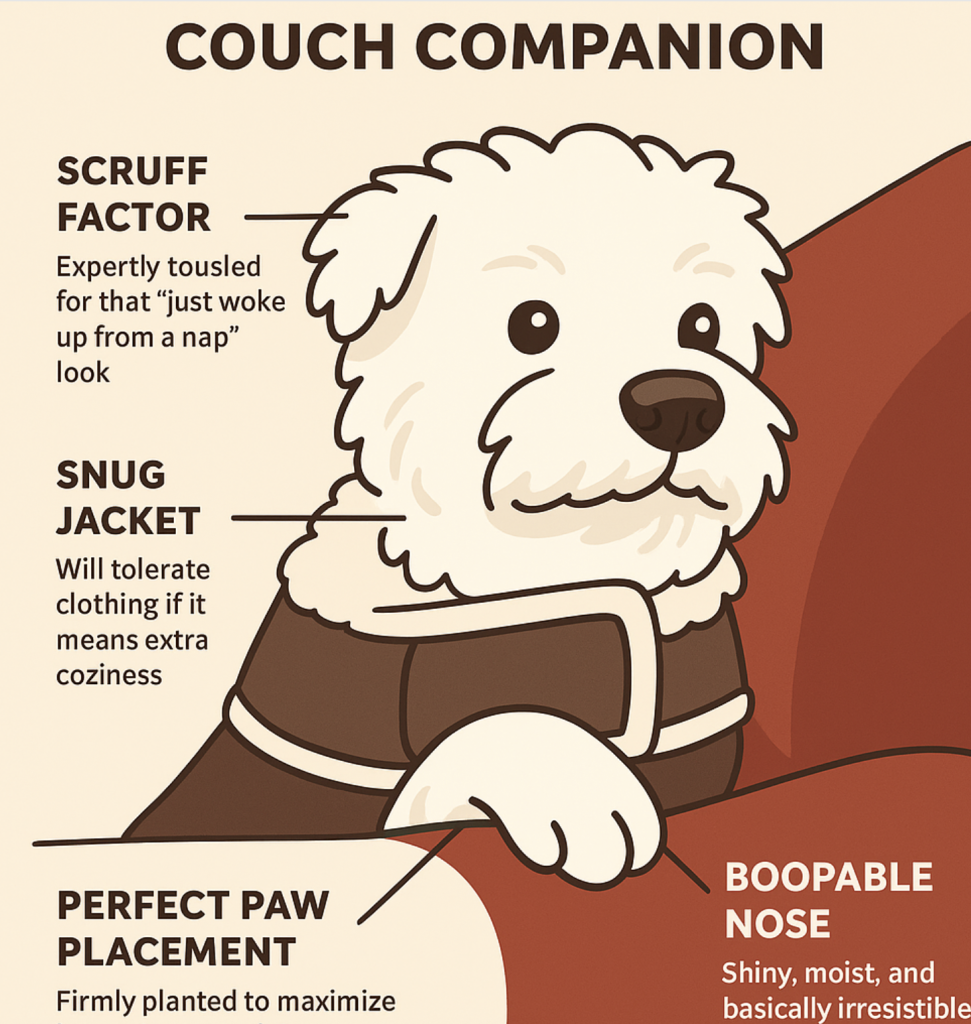
    Each drawing isn’t just a filter—it’s a full character sketch. One dog might get a caption like, “CEO of Chaos, 2 p.m. Zoom napper,” while another gets, “Sniff Inspector General, Level 99 Snuggle Wizard.”

    The result? A deeply personal piece of digital art that makes you laugh and want to share it with everyone you know.
    Why People Love Dog Drawings in 2025

    • Personalization is Everything: People crave content that reflects their identity—what’s more “you” than your dog’s most chaotic moment turned into a comic-style keepsake?
    • Social Shareability: AI-generated dog drawings are bite-sized stories perfect for social media, gifts, or memory books.
    • Stress Relief: Looking at your pup turned into an illustrated goofball just makes everything feel a little better.

    Try It Yourself Today

    If you’ve ever looked at your dog and thought, “You’re a whole character,” it’s time to capture that energy.

    Head to Pop-Cam, upload your favorite dog photo, and let the AI transform it into something you’ll treasure—and giggle at—forever.
  • The Best AI Outfit Generator to Elevate Your Instagram Game

    The Best AI Outfit Generator to Elevate Your Instagram Game

    Let AI Enhance your style — With a Little Help From Pop-Cam

    We’ve all been there: standing in front of a closet and feeling like we have “nothing to wear.”

    Or scrolling Instagram, thinking “I want that outfit” but not knowing how to recreate it.

    Enter the world of AI outfit generators — and Pop-Cam just might be your new favorite styling secret.

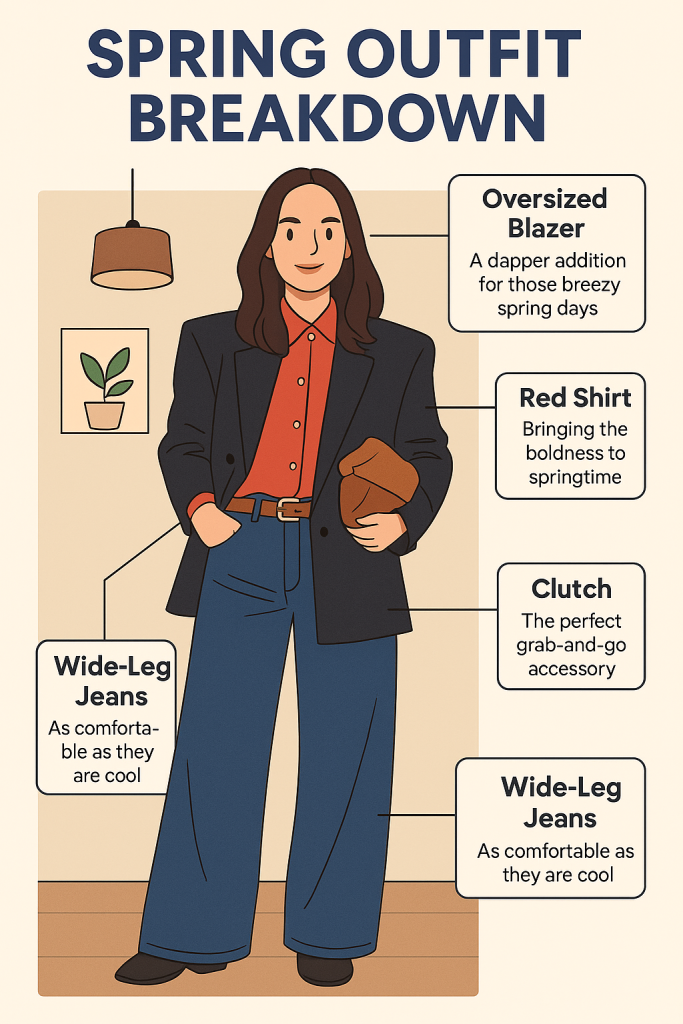
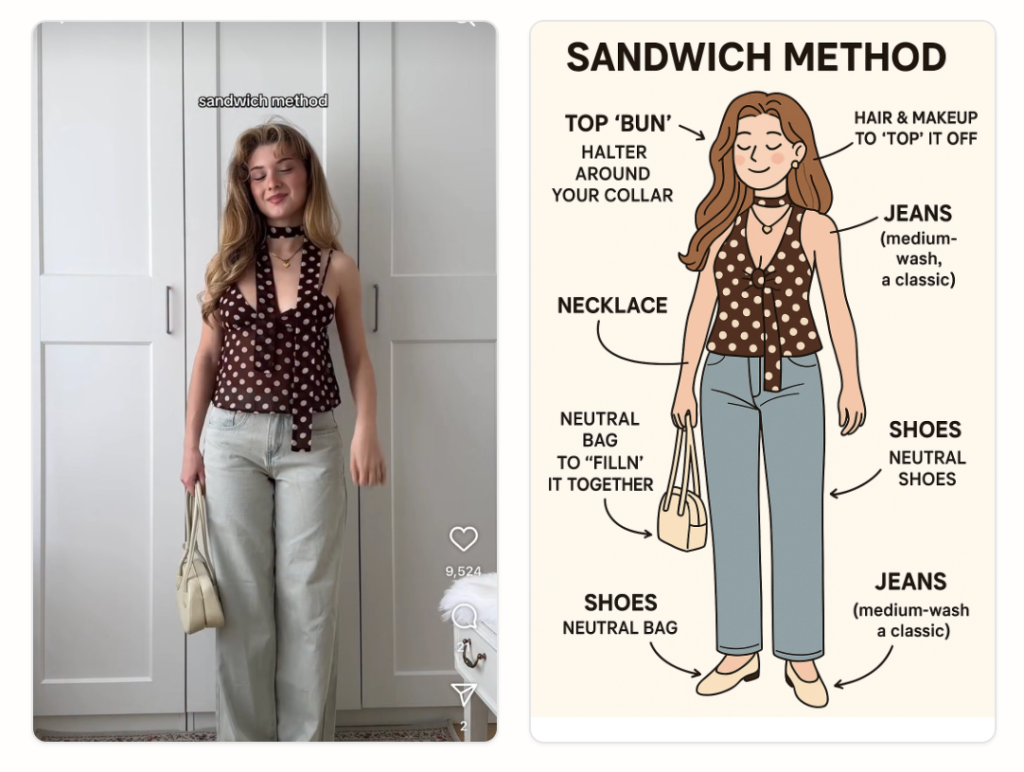
    Pop-Cam is a creative sidekick that helps you generate full outfit infographics.
    You upload an image, and in seconds, you get an auto-labeled, aesthetically pleasing outfit breakdown.
    It’s never been easier to add more flair to your social posting.

    Try the AI Outfit Generator now →

    Scroll-Stopping Content? Outfit Clipart + Your Original Photo

    Social media has never been so saturated with AI content.
    Here’s where things get clever.

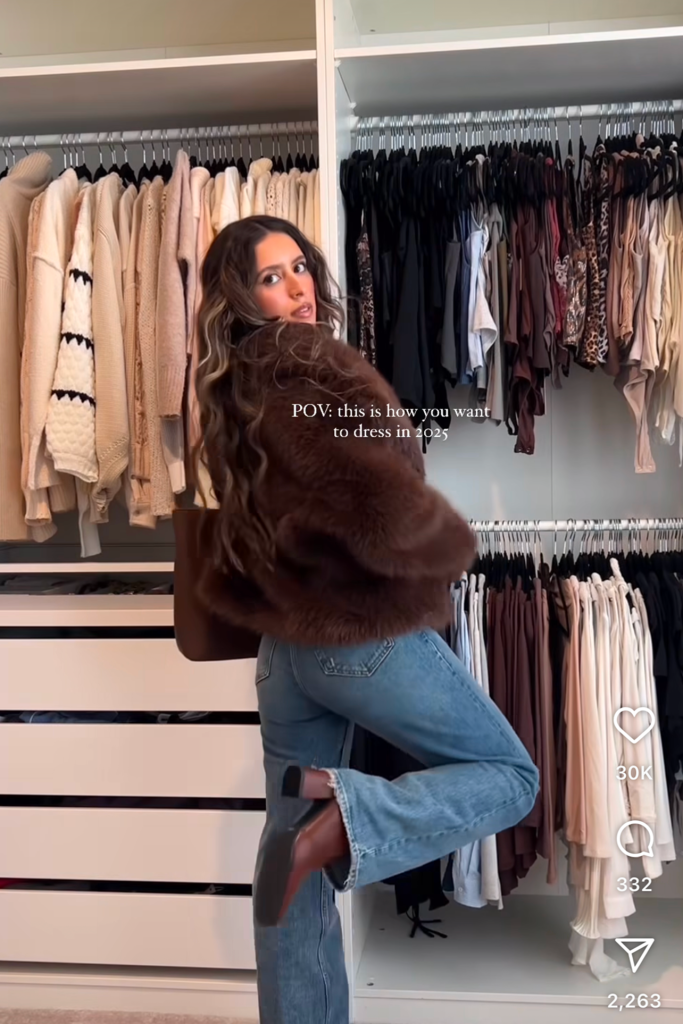
    just an image on social media might be a little thin
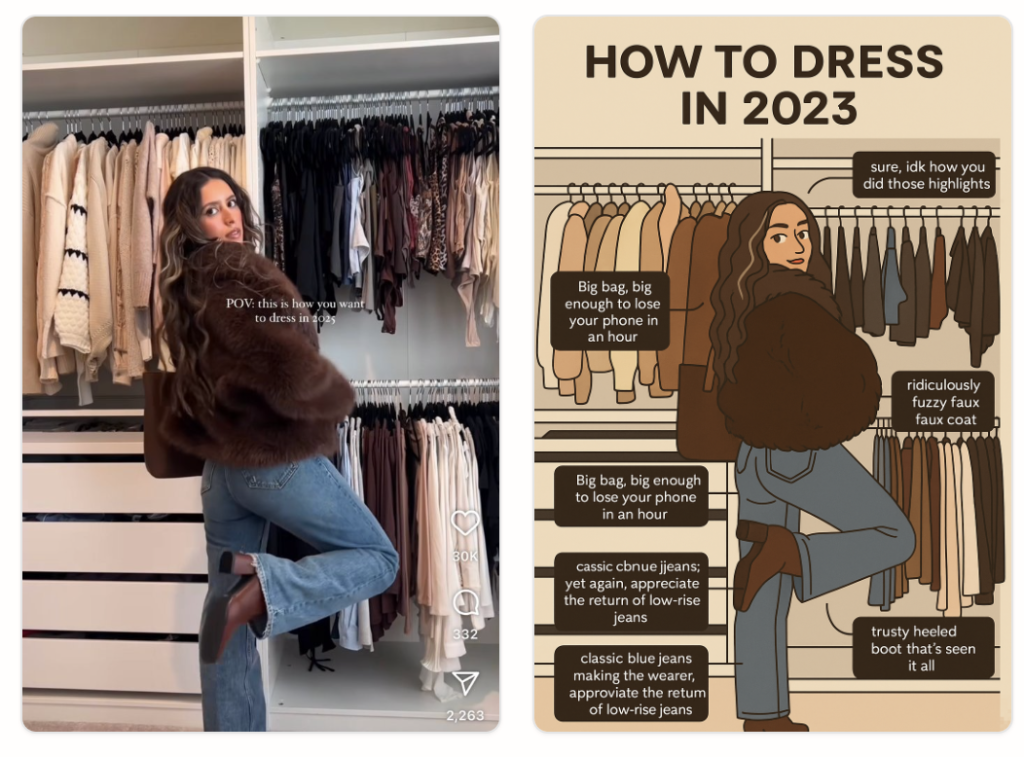
    Post 2 images on social and let viewer scroll

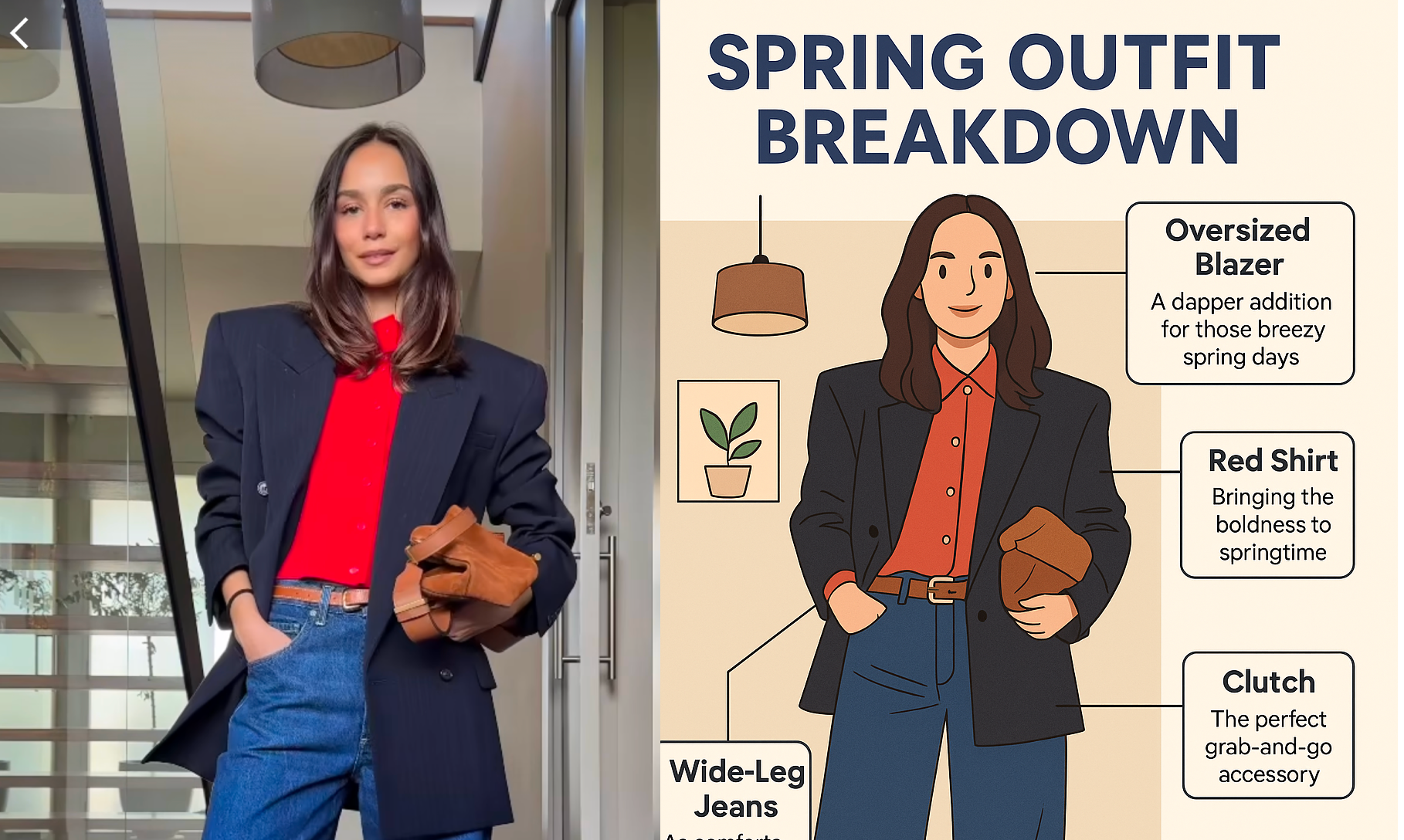
    When you pair clipart-style outfit graphic with the original photo, you’re not just posting a look — you’re telling a story.

    This side-by-side visual captures the anatomy of your outfit, making it instantly more engaging for your audience.

    It adds value and personality without needing fancy editing tools — just good taste.

    Build a Themed Feed with Outfit Infographics

    If you’re curating a style account, capsule wardrobe journey, or aesthetic-driven Instagram feed.

    Pop-Cam becomes your content glue.

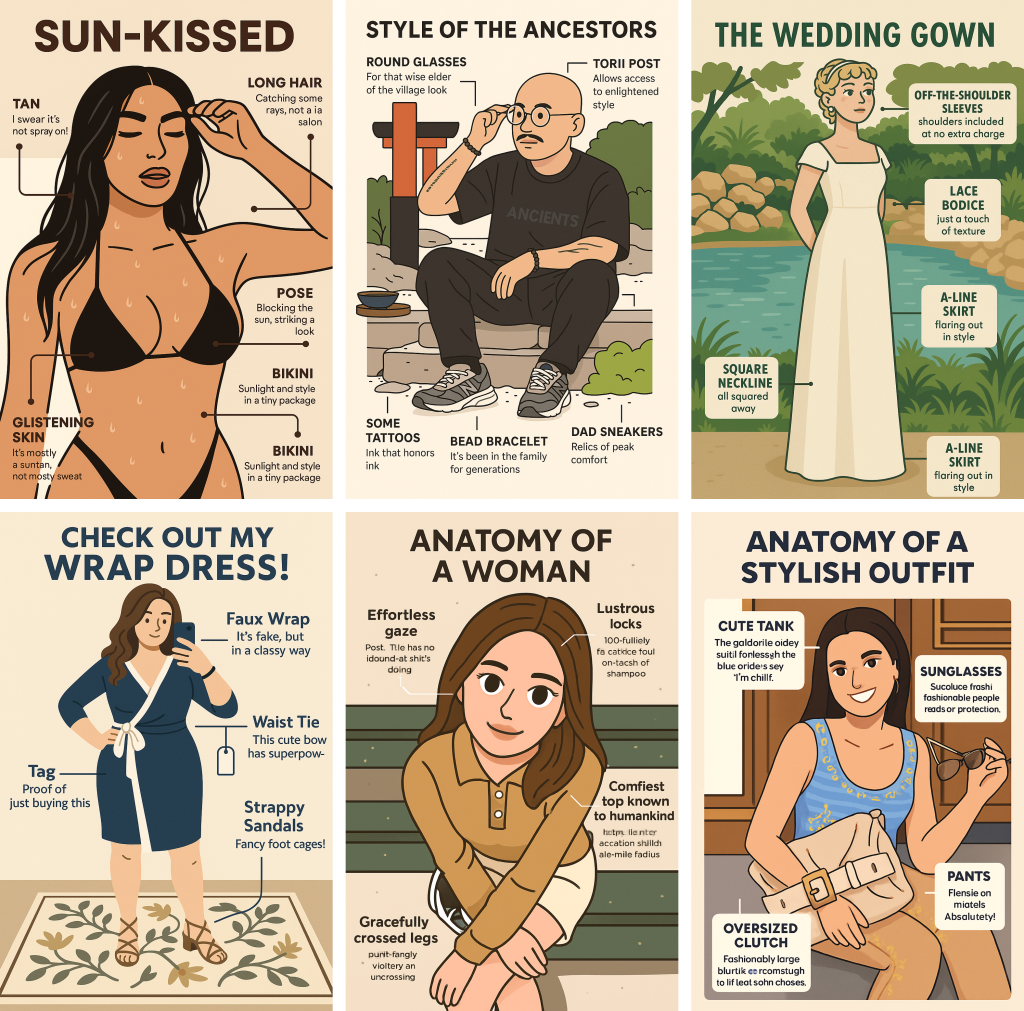
    Consistently posting outfit infographics creates a strong visual identity — one that’s not just stylish, but also informative.

    Think of it as your personal fashion zine, documenting your evolving style with clarity. It’s an easy way to create continuity while showcasing your daily fits with intention.

    curating a themed moodboard has never been easier

    Turn Screenshots Into Style Blueprints

    Pop-Cam doesn’t just help you create outfits — it helps you get inspired.
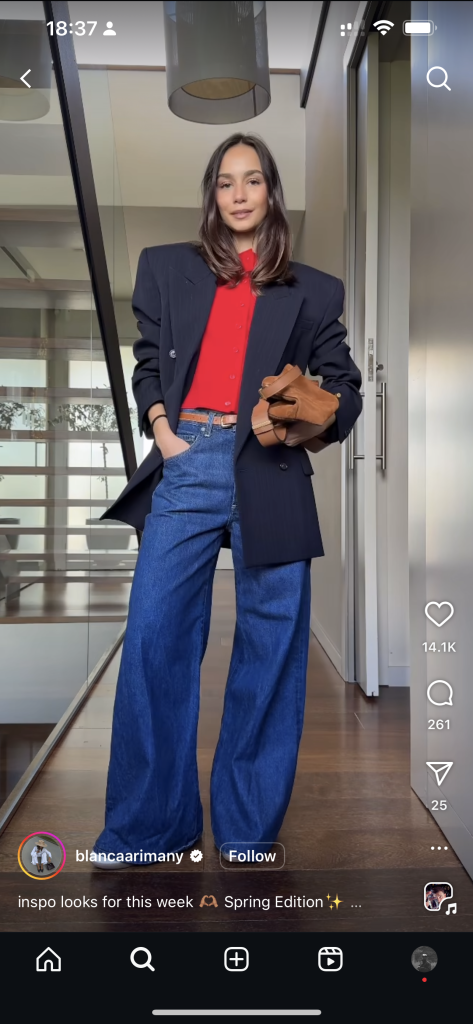
    See an outfit you love on Instagram or TikTok?
    Screenshot it, upload it to Pop-Cam, and boom: you’ve got an infographic breakdown of each piece.
    Use that to shop similar items or reassemble the vibe from your own closet.

    You can even build a collection of your favorite influencer fits and turn them into a digital wardrobe board.

    Yes, fashion inspo just got smarter.

    a quick screen shoot
    breaking down the outfit

    Bonus: Small Brand’s Content Powerhouse

    If you’re a small fashion brand or indie designer, Pop-Cam isn’t just for fun.
    You can turn product flatlays or modeled shots into branded infographics with auto-generated labels, then use them as illustrations in your online shop, Instagram carousel, or newsletter.

    It’s a creative (and low-cost) way to make your products more understandable, shareable, and stylish — even without a design team.

    The Takeaway: A Tool for Style, Content, and Creativity

    Whether you’re a content creator, a style-savvy instagrammer, or a small fashion label, Pop-Cam’s AI outfit generator is the kind of tool you didn’t know you needed. It’s fast, fun, and aesthetic-forward — basically, your new favorite way to experiment with style, build engagement, and stay organized.

    Go ahead. Get inspired. Screenshot. Upload. Remix.

    Your next viral post — or bestselling product image — might be just a click away.

  • Cowgirl Outfit 101: From Coachella to Couture—How the Western Look Became a Global Style Language

    Cowgirl Outfit 101: From Coachella to Couture—How the Western Look Became a Global Style Language

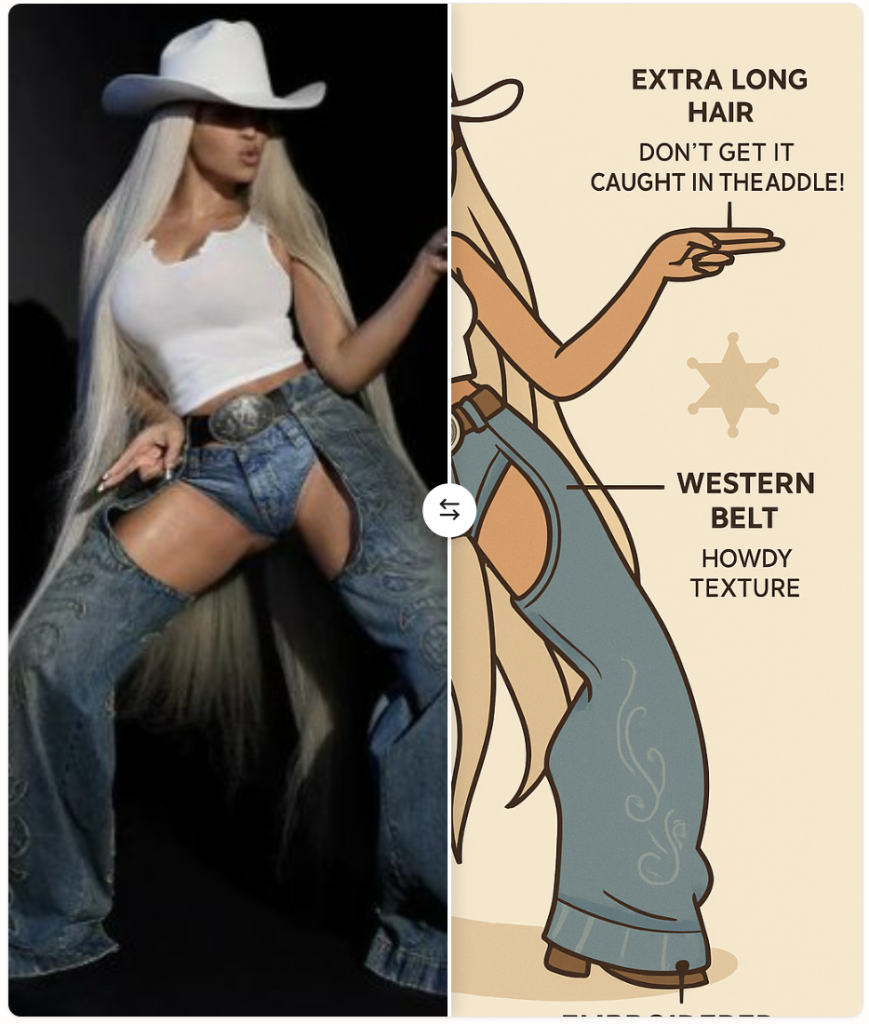
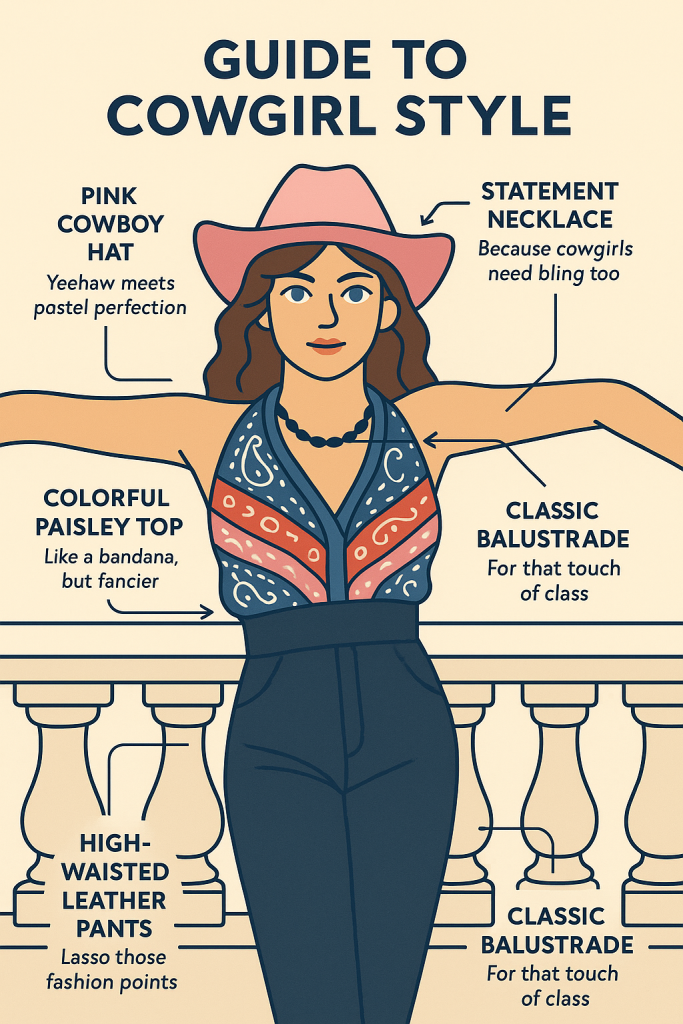
    Boyonce Cowgirl Outfit

    A cowgirl outfit is no longer just boots and fringe—it’s a visual remix of confidence, Americana, rebellion, and nostalgia.

    From Beyoncé’s Renaissance Tour to Pharrell’s Louis Vuitton cowboy couture, and now BLACKPINK’s Jennie rocking Western looks at Coachella 2025, the cowgirl aesthetic has officially gone global.

    This guide breaks down how to style a modern cowgirl outfit—and what it says about today’s pop culture.


    Why the Cowgirl Outfit Is Trending (Again)

    Western fashion has always cycled in and out of trend.

    But in 2025, it feels different: less costume, more identity.

    Think gender-neutral silhouettes, diverse cultural reinterpretations, and AI-generated styling references straight from platforms like Pop-Cam.

    Vintage Cowgirl Outfit
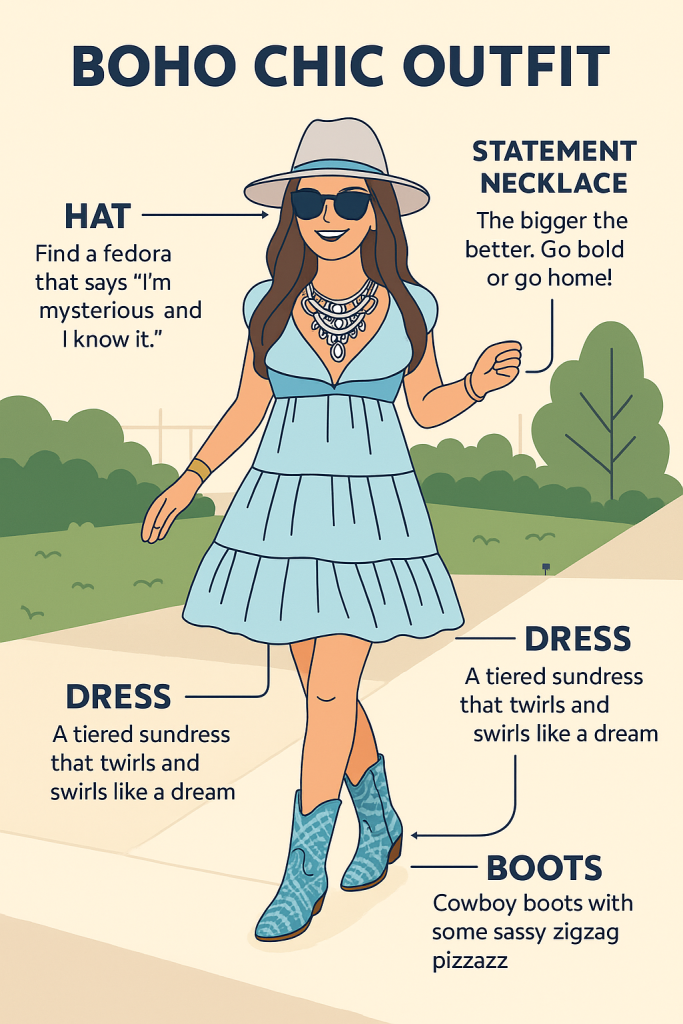
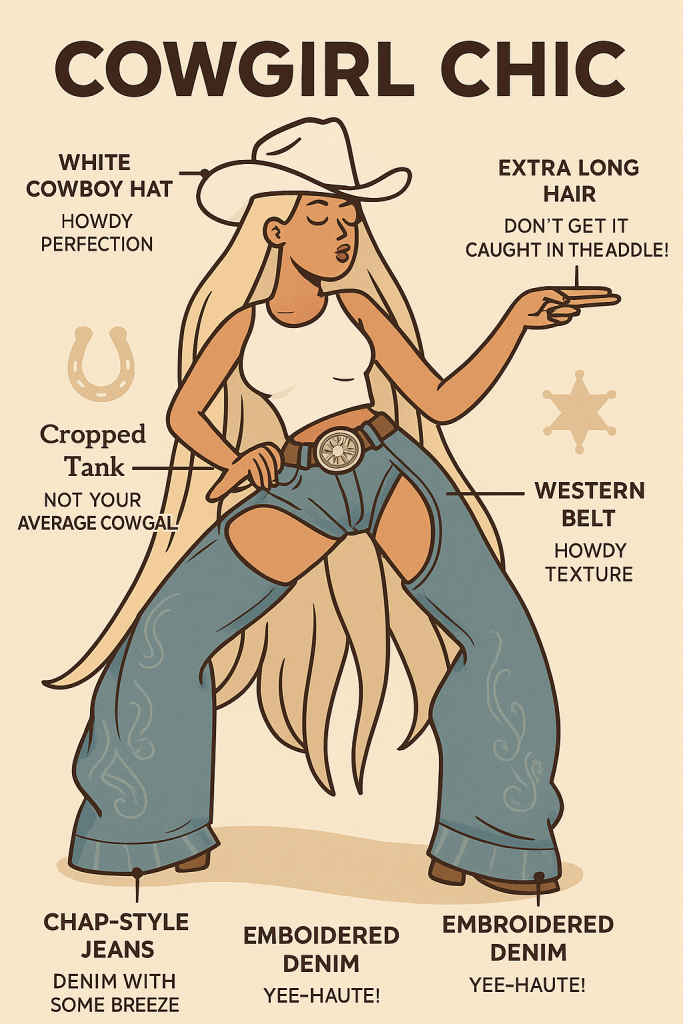
    Vintage Cowgirl Outfit in Infographics

    It’s not about dressing like the Old West. It’s about reimagining the West as a concept: freedom, friction, fantasy.


    Key Elements of a Modern Cowgirl Outfit

    Cowgirl outfit in Infographics

    1. The Hat That Says It All

    A wide-brimmed cowboy hat sets the tone. For traditionalists, felt or straw works.

    For maximalists, channel Pharrell’s Louis Vuitton Spring 2024 collection: leather, pastel tones, and embossed monogram logos.

    2. Denim With Story

    High-rise jeans, denim-on-denim layering, or frayed cutoffs—denim remains the backbone. The twist? Embroidery, contrast stitching, or ultra-structured cuts for a fashion-forward silhouette

    3. Boots That Walk the Line

    Classic cowboy boots, yes. But also white patent, silver metallic, or even heeled mules with Western embroidery. The boot is no longer just a shoe—it’s a statement.

    Can you remix these? Abosolutely Yes!


    Jennie and the 2025 Coachella Cowgirl Shift

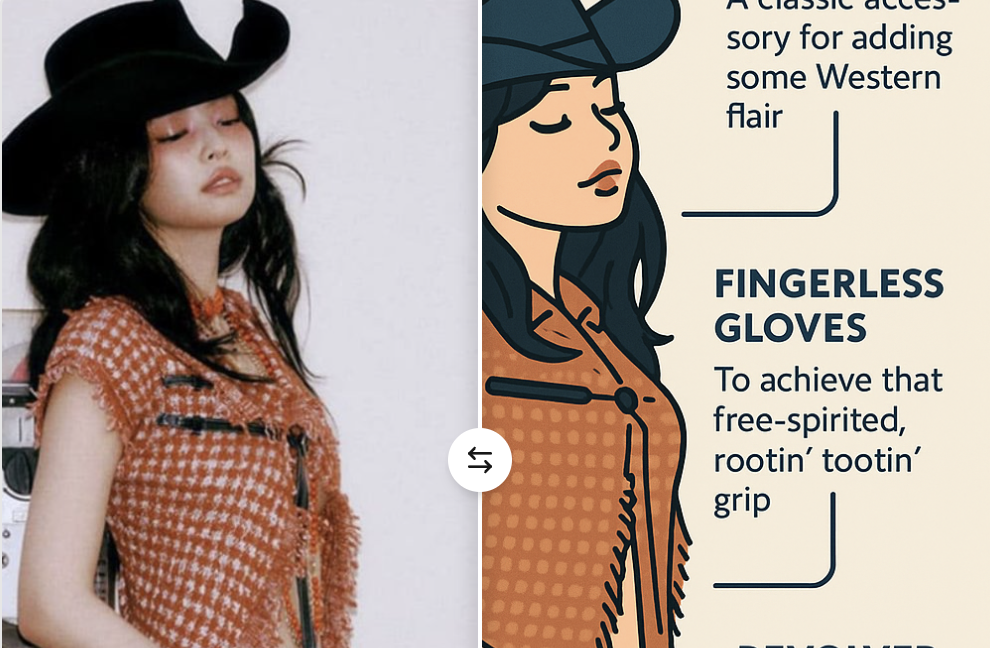
    At Coachella 2025, Jennie from BLACKPINK made headlines for her pastel cowgirl-inspired look during her performance.

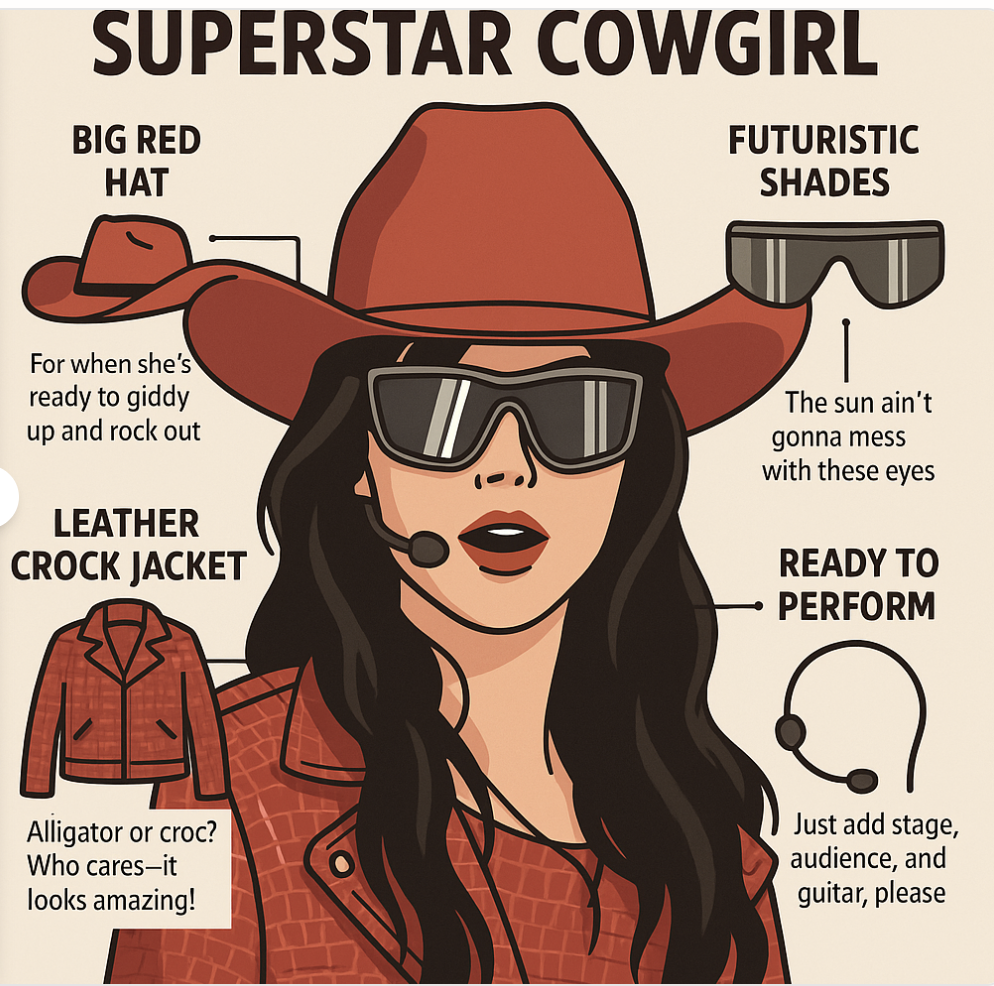
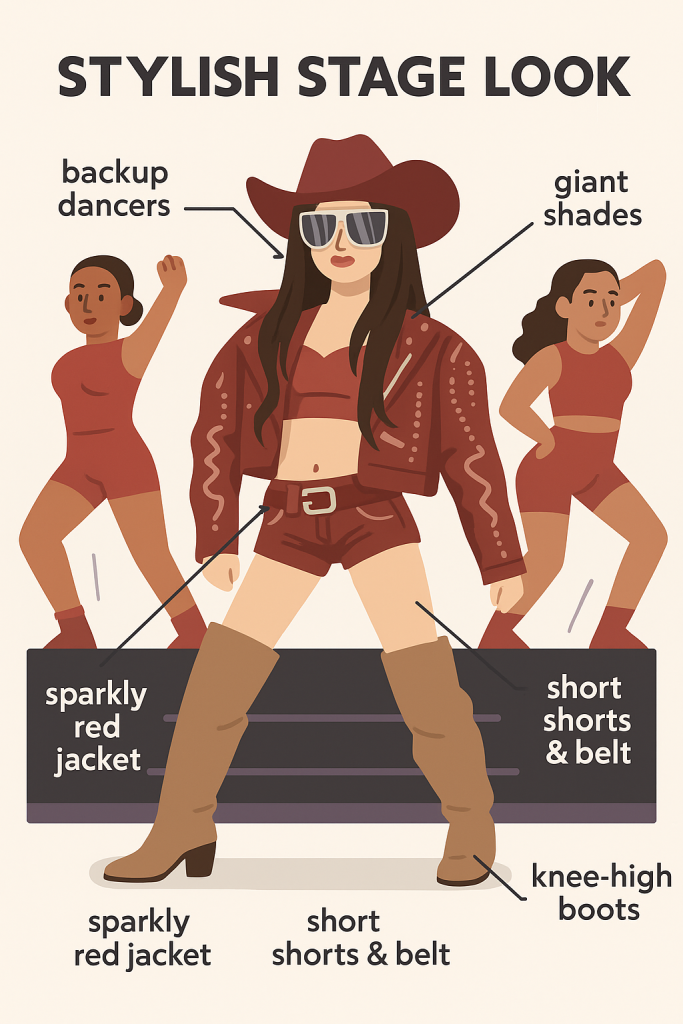
    Wearing a red croc-skin cropped Western jacket with matching top, a micro skirt, and suede leather knee-high boots, she paired it with prominent silver belt and futuristic shade—a soft yet powerful twist on cowgirl-core.

    Jennie in Coachella in Infographics

    The internet broke. TikTok trends followed within hours:

    #Kcowgirlcore #JennieWestern #PastelCowgirl

    Why does this matter? 

    Because Jennie, like much of K-pop, holds global fashion authority. Her reinterpretation of the cowgirl outfit wasn’t cosplay—it was curated.

    That speaks to the mixing of style elements from different time/identity with glam- a signature of the fashion landscape in 2025.

    Boyonce in Cowgirl in Infographics

    The Cowgirl Look as Cultural Crossroads

    Cowgirl fashion isn’t just about trend—it’s also about reclamation.

    • Black and Indigenous histories have long been tied to Western wear, despite being erased from mainstream portrayals. Modern cowgirl styling pays homage to that with beaded accessories, tooled leather, and Native-owned brands.
    • Queer Western looks challenge gender binaries. From drag cowboys to masc-presenting women in pearl snaps and bolo ties, the Western silhouette is now fluid, defiant, and proud.
    • High fashion embraces it—Pharrell’s Louis Vuitton cowboy collection in Paris reimagined the rodeo with couture polish, walking models down a desert-inspired set in layered denim, crystal-studded boots, and monogrammed Cowboy Whistles.

    Try Pairing Unusual Materials with Classic Western Silhouettes

    One of the easiest ways to modernize a cowgirl outfit is by rethinking the materials, not just the shapes.

    Instead of traditional denim or suede, try sheer mesh blouses with pearl snaps, or a PVC mini skirt shaped like a classic riding cut.

    Metallics, lace, quilted cotton, even recycled tech fabrics can all breathe new life into Western staples like the A-line skirt or cropped jacket.

    This mix-and-match approach gives your outfit texture and contrast—think tulle layered under a chambray shirt, or a leather corset top styled with vintage denim flares.

    When paired intentionally, these materials elevate the cowgirl silhouette into something playful, high-concept, and totally 2025.

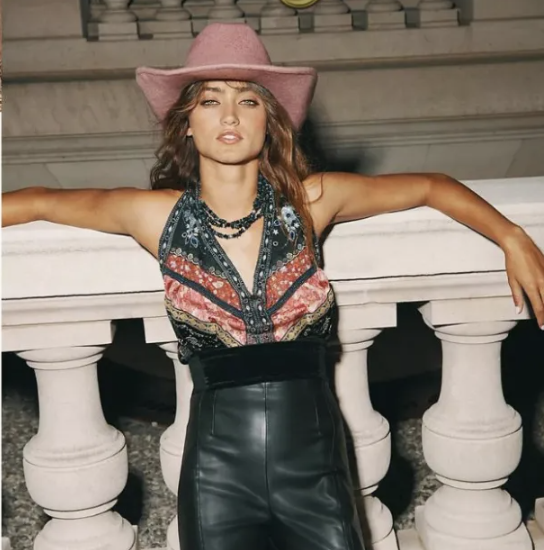
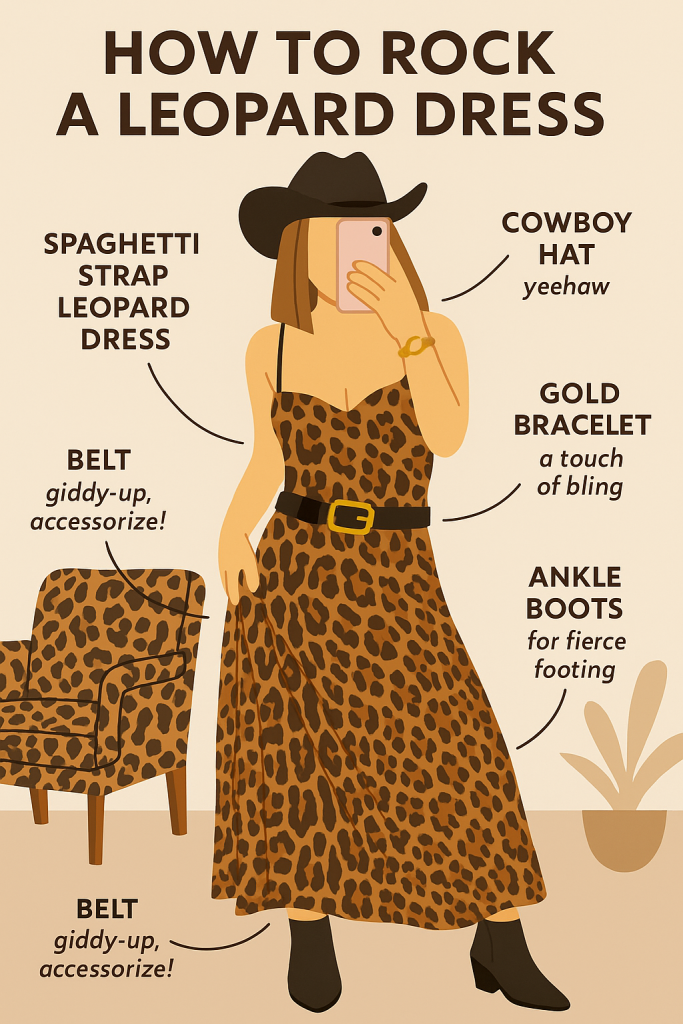
    leopard dress in Infographics

    Outfit Inspiration: How to Style a Cowgirl Look Without Going Full Costume

    ✅ Do: Mix modern with traditional

    Pair your vintage cowboy boots with an oversized blazer or sleek denim mini skirt.

    ❌ Don’t: Wear everything fringe

    Choose one fringe item. Let it move with intention.

    ✅ Do: Embrace color palettes

    Try monochrome pastels, earthy neutrals, or unexpected metallics.

    ❌ Don’t: Forget accessories

    Silver belt buckles, bolo ties, turquoise earrings—they finish the story.


    5 Fashion Brands with Cowgirl-Inspired Pieces

    These brands are either deeply rooted in Western culture or modernizing it with unexpected edge:

    1. Ganni – Known for their Western boots and Scandi twist on cowboy silhouettes
    2. KkCo – L.A.-based brand with reimagined utilitarian + cowgirl-core fusion
    3. Maison Margiela – Their Tabi boots and deconstructed denim play well with neo-Western
    4. Mother Denim – Great for high-quality jeans and subtly Western-inspired shirts
    5. Bode – Known for handmade, quilted jackets and nostalgic Americana looks

    Generate Your Own Cowgirl World with Pop-Cam

    Want to generate Jennie’s pastel cowgirl look in illustrations? Or make a surreal Western dreamscape in cartoon? Head to Pop-Cam to generate:

    • AI-styled cowgirl outfit inspo boards
    • Festival poster mockups
    • Vintage Western fashion zines
    • Digital denim lookbooks


    Final Thought

    The cowgirl outfit isn’t going anywhere. It’s no longer just an outfit—it’s a language of identity, remix, and rebellion.

    From Black rodeos to K-pop concerts to the Paris runway, this is a silhouette the world keeps reimagining.

    And with tools like Pop-Cam, you don’t have to wait for the next festival to explore it. You can build it now—on your own terms.

  • AI Graphic Design Workflow with Pop-cam and Figma

    AI Graphic Design Workflow with Pop-cam and Figma

    Graphic Design without designers

    Gone are the days where we need to hire an illustrator to make infographics. Gone are the days when graphic design is gatekept by those who mastered Adobe tools.

    Thanks to AI, anyone can now create high-quality visuals—from infographics to social media posts—in seconds. And one of the most powerful tools leading this creative revolution is ChatGPT’s image generation capability, combined with tools like Pop-Cam that turn photos into infographic-style illustrations with just a few clicks.

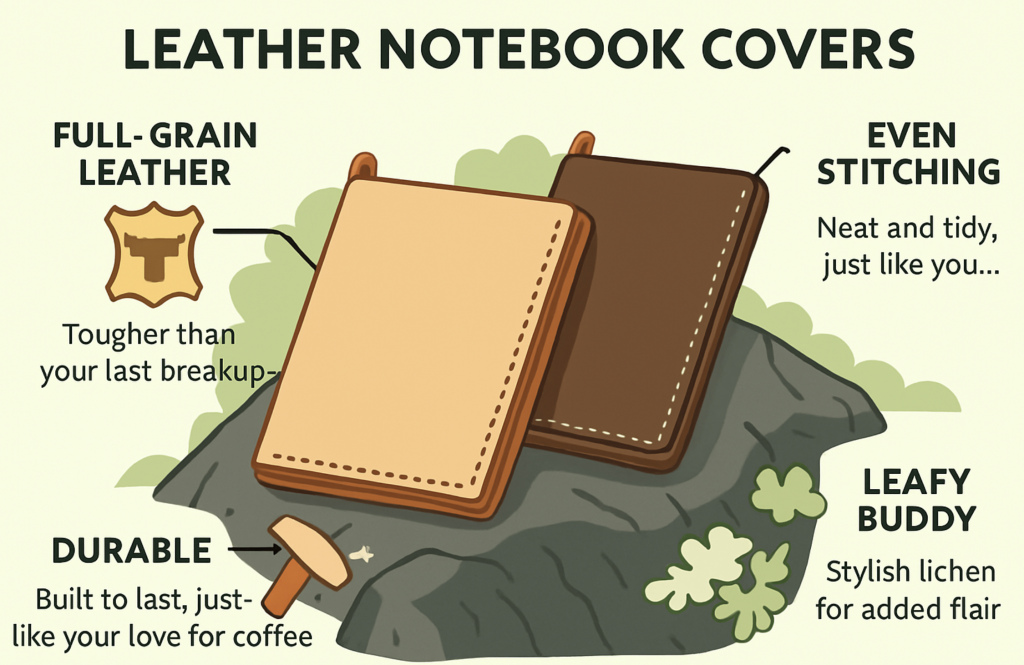
    Instead of writing the prompt to ChatGPT, Pop-cam makes infographic image instantly, suitable for creating fun and colorful infographics like these:

    In this article, we’ll walk you through an AI workflow:

    1. Use AI generation tool like pop-cam to generate infographic framework
    2. Use Modern Editing software like Figma to quickly annotate

    How to does Pop-cam work?

    Pop-cam works using OpenAI’s image-generation diffusion-based model to produce consistent image output. The output are professionally drawn AI infographics which is instantly usable. In case you want to use another tool such as Chatgpt image generation, here is a prompting guide.

    Note: the text on the model may product some Artifact. This guide will teach you how to fix them.


    Step by Step Guide for an infographics with Pop-cam and Figma

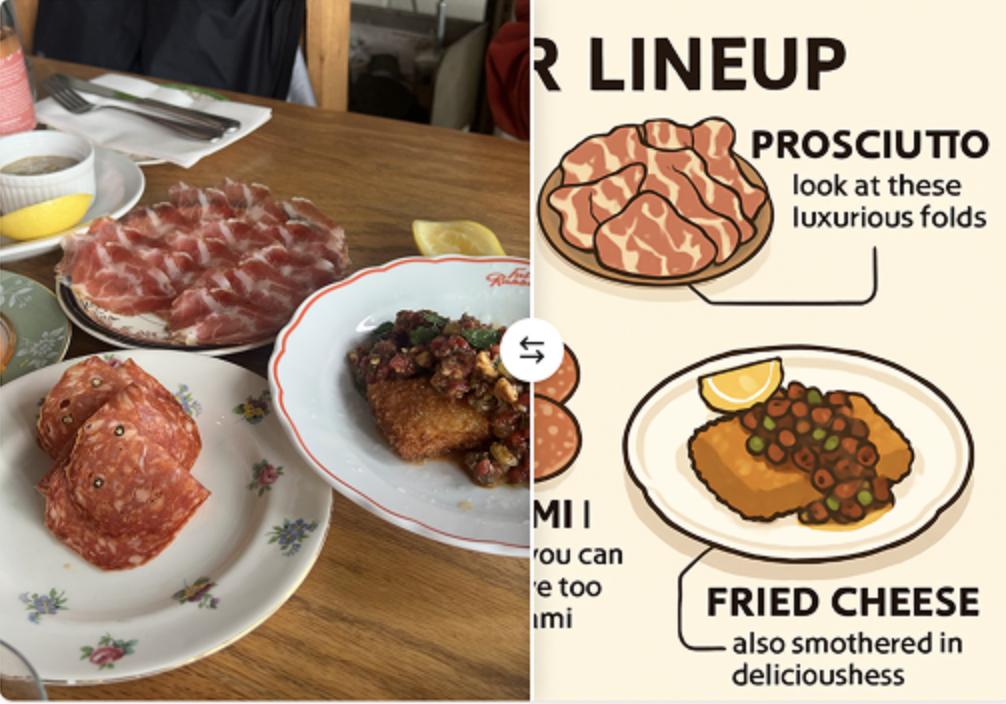
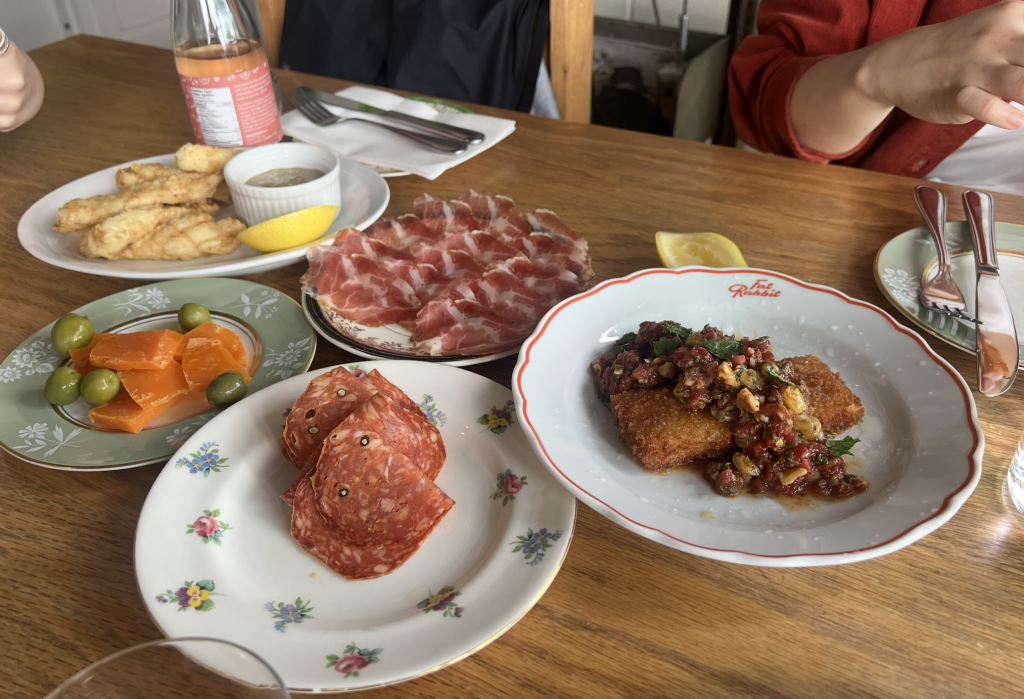
    1. Get a photo. Here is a delicious looking meal
    1. Upload photo: Go to Pop-cam.com/app and upload your photo. Here are some tips.
      1. the photo does not need to be large, I typically use the mac’s screenshot to ensure small photo
      2. the image should be in jpg/webp/png format, Apple’s heic format takes a long time to upload.
      3. the AI is agnostic to image resolutions. Smaller images are easier to work with
    image.png
    1. Generate infographic: Hit “Generate” and get your infographics on the app. Sometimes it takes 2-3 tries to get the style you want.
    Group 31.png
    1. Changing the text on Figma: The generated image looks good, but we might want to change some text on the image for example, some description needs to change.
    infographic-1747724048532.png
    1. Importing to Figma: Unfortunately, there are no AI app that supports native annotation fix. So we will use Figma. Download and Copy and Paste the image to a figma drawing board. Next, we will use the text tool to edit the annotation. Looks the the AI generated “SALAMI” is spelled wrong
    image.png
    Group 32.png
    1. Adding New Text: Using the text tool to match the font and the color of the text. However, the background of the text is transparent. You would press shift+A on Mac & Windows to make the text into auto-Layout.
    image.png
    image.png

    The blue “Frame 136” indicates that auto-layout has been created.

    image.png
    1. Matching Text Background: Now you can pick the fill color to match the background. AI generated images are usually easy to match.
    image.png
    1. Export: After editing, press Ctrl+G to group. And the image is ready to be export into format of your choice. Figma Supports PDF, JPG and other major file formats.
    image.png
    1. I was able to finish this inforgrahic and use it on my social media or menu. There is no copy-right issue as well as these generated images are all custom.

    How to Prompt AI for Better Designs

    Crafting the right prompt is the key to good AI-generated images. Here’s a simple framework:

    1. Subject: What is the image about?

    e.g., “woman with glasses drinking coffee”

    2. Style: Cartoon, minimalist, vaporwave, 3D render?

    e.g., “infographic style, clean lines, modern look”

    3. Color palette: Bright, muted, neon, pastels

    e.g., “soft pink and teal tones”

    4. Layout: Infographic, poster, square for Instagram

    e.g., “top-bottom layout with callout lines and icons”

    5. Mood or Use Case: Cute, professional, scientific, playful

    e.g., “cute and friendly for a social media profile banner”


    Use Cases: From Memes to Marketing

    1. Instagram Infographics – Explain concepts in a scroll-stopping way
    2. YouTube Thumbnails – Make engaging click-worthy visuals
    3. Pitch Decks – Use clean icons and concept illustrations
    4. E-commerce Banners – Stylize product photos with a branded vibe
    5. Blog Headers – Generate unique illustrations for SEO posts

    Want to try? Upload a selfie to

    Pop-Cam


    Try AI Design Today

    With tools like ChatGPT and Pop-Cam, you no longer need to spend hours—or dollars—on graphic design. Whether you’re a student, influencer, startup founder, or meme lord, AI gives you the power to create bold, beautiful visuals instantly.

    Try it now at Pop-Cam.com — it’s free, fast, and fun.


    Meta Title:

    AI Graphic Design create infographics in seconds

    Meta Description:

    Discover how to use workflow that uses Pop-Cam AI and Figma for fast, affordable, and creative AI graphic design. Learn prompt tips, tools, and use cases to make infographics in miniutes.